Writer: Nilsson AndersRelease Time: 2026-11-26 08:01Browse: 43
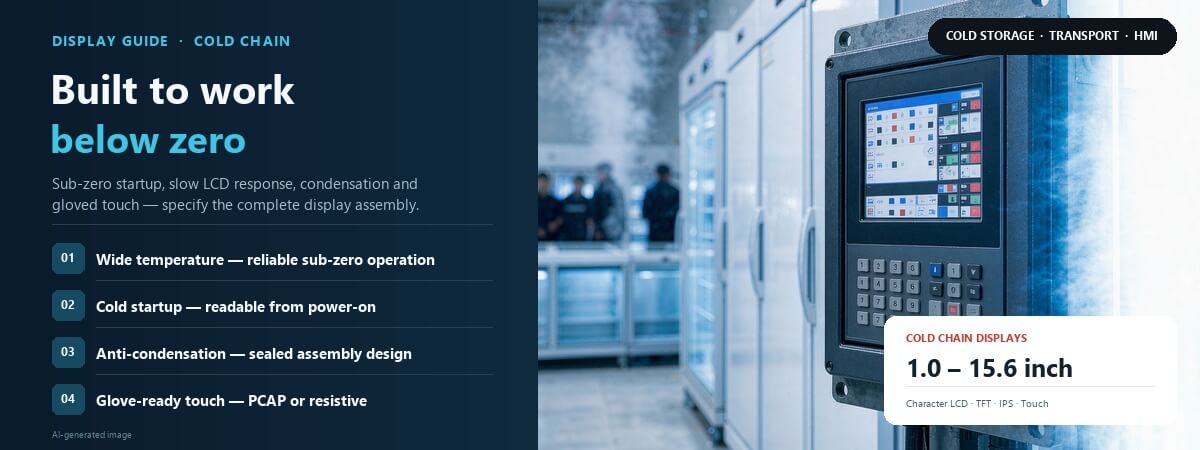
A technician checks a temperature reading on a freezer control panel inside a cold storage warehouse; a logistics worker reads cargo status on a refrigerated truck terminal at a loading dock; an engineer monitors compressors and defrost cycles from a plant HMI. Three different screens, one shared problem — ordinary commercial displays struggle when the temperature drops below 0°C.
Selecting a display for cold chain equipment involves more than checking an operating temperature range. Low temperatures affect LCD response time, backlight performance, startup behavior and touchscreen operation, while temperature changes introduce condensation that can reach surfaces, connectors and internal electronics. This guide works through what OEM engineers should evaluate as part of the complete equipment design. For the broader control-room side of the decision, see the guide to HMI displays in automation.
Contents
Cold chain systems cover a wide range of equipment, and each application asks something different of its display.
Monitoring and control panels show temperature, humidity, refrigeration status, alarms and equipment operating information. Operators may need to read these values quickly while working in low-temperature environments. Clear information, reliable startup and stable operation across the specified temperature range are the baseline.
Supermarket refrigerators, freezer cabinets and commercial systems use compact displays for temperature settings, operating status and user interaction. Screens may sit behind glass, on control panels or directly on the housing. Readability, viewing angle, touch response and long-term operation are the factors that matter.
Trucks, trailers and temperature-controlled delivery vehicles use displays to monitor cargo conditions and control refrigeration equipment. Alongside low-temperature operation, these screens face vibration, power fluctuations and frequent ambient temperature changes — the module must be judged against the complete operating environment, not temperature alone.
Industrial refrigeration systems use larger HMI displays to manage compressors, fans, evaporators, defrost cycles and temperature zones. These applications combine clear graphics, touchscreen operation, communication interfaces and continuous running. The same interface trade-offs are covered in the HMI display guide.
Operating temperature is one of the first specifications to check. A display designed for an ordinary indoor environment may not keep its normal performance at sub-zero temperatures, so compare the module's specified range with the actual conditions at the installation location.
Two specifications are often confused:
A display that can be stored at -30°C does not necessarily operate normally at -30°C. The two must never be treated as interchangeable.
For cold chain equipment, engineers should confirm:
Final selection should be based on actual application requirements and the datasheet of the specific module.
Liquid crystal materials behave differently as temperatures fall. Visual performance can change even while the module remains electrically functional.
At low temperatures, liquid crystal molecules move more slowly, so the screen takes longer to change between image states. On a refrigeration controller this can show up as trailing when readings change, menus update or animated elements appear. The information is still there, but the interface feels less responsive.
Brightness and contrast also shift with temperature, depending on the panel, backlight design and operating conditions. This matters in warehouses, loading areas and commercial spaces where operators read the screen from different positions under varying lighting.
A display that works normally once warmed up may behave differently when powered on directly in a cold environment. Check whether the module supports cold startup at the required minimum temperature, and how long it takes to produce a readable image if the equipment must be available immediately. For applications with frequent startup or long shutdowns, cold-start testing is especially important.
Different display technologies suit different interfaces, viewing requirements and environments.
Character and monochrome graphic modules suit refrigeration controllers that show basic information — temperature readings, operating modes, alarm messages and system status. Their simpler interfaces can be enough where complex graphics or touch interaction are not needed. The module's specified low-temperature operating range still has to be verified.
TFT modules are widely used in refrigeration HMIs, cold storage monitoring systems and commercial equipment. They support graphical interfaces, multiple colors, icons, menus and more detailed operating information, with sizes and resolutions for both compact controllers and larger panels. For sub-zero applications, consider a wide-temperature TFT when the standard commercial range is insufficient.
IPS offers wide viewing angles, useful when a panel is installed at an angle or viewed from different positions — in warehouse control stations, refrigeration cabinets and industrial equipment. IPS describes viewing technology, not low-temperature capability; the operating temperature specification must still be checked separately.
Even when the panel operates at low temperatures, the complete backlight assembly must meet the application's environmental requirements.
A display inside a refrigerated cabinet may not need the brightness of one in a brightly lit warehouse control panel. Select enough for the real viewing environment without adding unnecessary power consumption or thermal load; the optical trade-offs are the same as those in the high-brightness display guide.
Touch selection gets more complicated when operators wear insulated gloves — common in cold storage warehouses, food processing facilities and refrigerated distribution centers.
Projected capacitive (PCAP) touchscreens support multi-touch and suit modern graphical interfaces, but ordinary PCAP performance should not be assumed to work with every glove. Thick insulation, moisture and frost on the cover glass can affect detection.
Resistive screens detect physical pressure and generally work with gloves or a stylus. They can suit industrial refrigeration equipment where straightforward input matters more than multi-touch gestures.
For very cold environments, physical buttons remain practical for frequent functions such as temperature adjustment, alarm acknowledgement and menu navigation. A hybrid interface combining touch and physical controls can be appropriate when reliable operation outweighs minimizing the number of controls.
Condensation is one of the biggest environmental challenges in cold chain systems. It appears when cold equipment meets warmer, humid air — for example, when a freezer door is opened or the surrounding environment changes rapidly. Moisture can reach more than the visible surface: connectors and internal electronics may suffer electrical faults or long-term reliability problems.
Evaluate the complete display assembly:
Optical bonding improves optical performance and reduces internal air gaps, but it does not make the assembly waterproof — sealing and moisture protection must be evaluated separately. Distinguish between condensation on the outside surface and moisture entering the assembly; both belong in system design and validation.
Display size follows the information being shown and the distance from which operators need to read it.
| Application | Possible Display Considerations |
|---|---|
| Compact refrigeration controller | Small character, graphic or TFT LCD |
| Commercial refrigerator | Compact TFT with clear temperature and status information |
| Cold storage monitoring panel | Medium-size TFT or IPS TFT with graphical information |
| Refrigerated truck controller | Compact or medium-size TFT with readable operating data |
| Central refrigeration HMI | Larger TFT with multiple monitoring and control screens |
These are application references, not fixed industry standards. Final size and resolution should follow the interface layout, viewing distance and available installation space.
Engineers should also confirm how the display connects to the mainboard:
Interface selection must be checked against the display controller, mainboard design, signal timing, connector pinout and voltage requirements. An interface name alone does not guarantee compatibility — a module may need a dedicated driver board or additional control circuitry.
Many refrigeration systems run continuously or stay available for long periods, so the display belongs in the equipment's overall power management strategy.
In refrigerated transport, the display shares a supply with vehicle systems and refrigeration controls, making power draw particularly important. In fixed installations it may run all day, requiring attention to backlight lifetime, thermal management and long-term stability. If the equipment uses a battery-backed supply, include display power in runtime calculations.
Choosing a module by storage temperature alone. A storage rating does not confirm a readable image while powered at the same temperature. Always check the operating specification.
Ignoring cold startup. Equipment may sit unpowered for long periods before being switched on in a cold environment. Test from the actual minimum startup temperature.
Assuming every touchscreen works with insulated gloves. PCAP performance depends on the touchscreen design, controller and glove conditions. Verify the complete solution with the intended PPE.
Overlooking condensation during temperature changes. A display may work in stable cold but fail when exposed to warm, humid air. Include temperature-transition conditions in validation.
Checking the panel but not the assembly. Backlight, touch sensor, cover glass, adhesives, connectors and driver electronics can have different temperature limits. The complete assembly must meet the requirement.
Selecting an incompatible interface. A module can have the right size and temperature rating but still need a different signal interface or driver board. Confirm electrical and mechanical compatibility before finalizing the design.
| Selection Item | What to Verify |
|---|---|
| Operating temperature | Minimum and maximum powered operating temperatures |
| Storage temperature | Transportation and unpowered storage limits |
| Cold startup | Startup behavior at the required minimum temperature |
| Response time | Image transitions and readability under cold conditions |
| Backlight | Brightness, startup performance and power consumption |
| Touchscreen | Glove operation, moisture exposure and low-temperature response |
| Condensation | Moisture protection during temperature transitions |
| Screen size | Match to installation space and viewing distance |
| Interface | Compatibility with mainboard and display controller |
| Power supply | Input voltage, startup current and power sequencing |
| Mechanical design | Mounting, connectors, cover glass and enclosure protection |
| Reliability testing | Complete assembly under realistic operating conditions |
For critical applications, testing should include cold soaking, startup at low temperature, continuous operation, touchscreen interaction, temperature cycling and condensation scenarios — reflecting the actual equipment design rather than a generic temperature test alone.
Youritech provides LCD modules and customized display solutions for industrial equipment manufacturers. For cold chain and refrigeration applications, selection can be evaluated against temperature requirements, screen size, interface, touch functionality and installation structure.
Depending on the project, the solution may involve:
The most suitable solution depends on the complete application. Operating temperature, cold startup, condensation exposure, touch requirements and mainboard compatibility should all be confirmed during the design stage. If you are developing a refrigeration controller, cold storage monitoring system or refrigerated transport terminal, contact Youritech to discuss your display requirements.
Request a Quote / Get a Custom Display Solution
Some standard modules may operate below 0°C, but performance depends on their specified operating range and component design. Low temperatures can slow response and affect brightness. Always check the datasheet of the specific module.
Operating temperature describes conditions in which a powered display is expected to function; storage temperature covers an unpowered module in storage or transit. A storage rating does not guarantee normal operation or cold startup at that temperature.
Low temperatures increase the viscosity of liquid crystal materials, so molecules respond more slowly to the driving field. This leads to slower image transitions, ghosting and reduced visual responsiveness.
It depends on conditions and interface. Resistive touch can be practical with thick gloves, while PCAP offers a modern multi-touch experience when glove compatibility is verified. Both should be tested at the required operating temperature.
Condensation can form on the surface or inside the assembly during rapid temperature changes. Moisture reaching connectors or electronics may cause electrical faults. Enclosure sealing, connector protection and assembly design reduce these risks.
Not always. It reduces internal air gaps, improves optical performance and can limit spaces where internal condensation forms, but it does not replace proper sealing or moisture protection.
Provide screen size, resolution, minimum and maximum operating temperatures, cold startup conditions, touch requirements, interface, input voltage and installation environment. Details about condensation exposure and operating hours also help engineers evaluate the complete solution.
Cold chain displays have to stay readable, responsive and reliable below zero — through slow LCD transitions, cold starts, gloved operation and condensation. The right choice comes from evaluating the complete assembly against the real equipment environment, not from a single temperature figure on a datasheet. Define that environment early and the display becomes a dependable part of the system.
Youritech — Industrial LCD and Touch Display Solutions for Embedded Applications.


