Writer: Nilsson AndersRelease Time: 2026-11-26 03:10Browse: 36
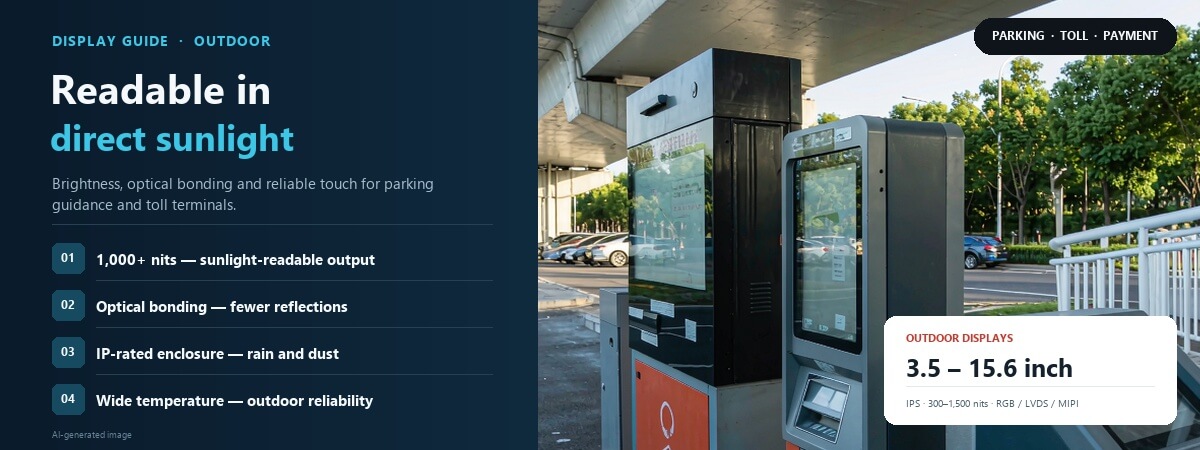
A driver pulls up to a parking entrance and reads the available-space count in afternoon sun; a toll booth operator confirms a payment on a lane terminal; a payment kiosk guides a user through a QR-code transaction at an open-air plaza. Three different screens, one product category — and a display that works indoors will fail in direct sunlight.
This guide splits parking and toll equipment into the three families that matter for display selection — parking guidance terminals, toll collection terminals and self-service payment kiosks — and works through what each actually demands: brightness against ambient light, reflection control through the cover glass, touch that survives rain and dust, and the interface decision that ties the module to the mainboard. For the fixed-installation counterpart of the same decision process, see the guide to HMI displays in automation.
Contents
Where the equipment sits and how long a user has to interact decide the display spec — before any datasheet is opened.
Entrance and exit terminals, indoor and outdoor guidance kiosks, space-availability displays, payment machines, access control terminals and parking monitoring equipment. At entrances the screen shows available spaces, access instructions, rates and payment information; inside the facility it provides directions, zone information and availability. Outdoors, sunlight readability is critical — drivers need to recognize information quickly without approaching the screen or spending time reading it.
Installed on highways, bridges, tunnels and other routes: manual toll terminals, electronic payment interfaces, ticket issuing machines, payment kiosks, lane control terminals and vehicle identification equipment. Displays show toll amounts, payment status, transaction confirmation, vehicle information and system notifications. Vehicles may enter and leave the payment area within seconds, so clear visibility and reliable operation are essential.
These let drivers pay, print receipts and manage parking sessions without staff. The interactive LCD guides users through payment method selection, ticket scanning instructions, amount confirmation, QR code presentation, receipt and status information, and touchscreen navigation. Readability and touch responsiveness must work together to keep the experience straightforward.
A standard indoor LCD can perform well under controlled lighting and turn into a mirror in direct sun. The problem is not just backlight brightness: ambient light reflects from the cover glass, touchscreen and other optical layers, reducing visible contrast. A sunlight-readable display must balance emitted brightness with reflection control. General engineering starting points:
| Brightness | Potential Application |
|---|---|
| 300–500 cd/m² | Controlled indoor parking equipment |
| 500–800 cd/m² | Bright indoor or sheltered outdoor installations |
| 800–1,000 cd/m² | Outdoor terminals with indirect sunlight or moderate exposure |
| 1,000–1,500 cd/m² or above | Substantial direct sunlight exposure |
These values are indicative, not universal. Actual brightness depends on the installation environment, optical construction and viewing distance — a payment machine under a covered entrance does not need the same output as a toll terminal in direct afternoon sun. The physics behind these choices is covered in the high-brightness display guide and the note on adjusting LCD brightness.
| Treatment | How It Works | Design Consideration |
|---|---|---|
| Anti-reflective (AR) | Reduces reflected light from the front surface | Maintains contrast under strong ambient lighting |
| Anti-glare (AG) | Diffuses incoming light instead of forming sharp reflections | Excessive diffusion adds haze and softens small text |
| Optical bonding | Removes the air gap between LCD and cover glass / touch panel | Lower internal reflections, better contrast, less moisture ingress |
Choose between AR and AG based on the actual application, cover glass material and viewing conditions. For outdoor parking and toll equipment behind protective cover glass, optical bonding is particularly useful: it reduces internal reflections, improves perceived contrast, lowers the risk of moisture or dust entering the air gap, and improves mechanical integration. Evaluate bonding material, touch sensor, cover glass and LCD as one optical assembly for long-term performance.
Size should match the amount of information, available space and viewing distance: parking guidance may use compact displays for basic instructions, while toll terminals and payment kiosks often need larger interactive screens. Common design practice:
| Size Range | Typical Application |
|---|---|
| 3.5–5 inch | Compact access control and auxiliary payment interfaces |
| 5–7 inch | Parking entrance terminals, compact toll interfaces |
| 7–10.1 inch | Interactive parking payment machines, toll payment terminals |
| 10.1–15.6 inch | Larger self-service kiosks, transportation control terminals |
These are general references, not fixed industry standards. Resolution should follow the interface: a screen showing simple space availability does not need the pixel density of a payment terminal presenting QR codes, transaction details and multiple controls. On larger touchscreens, higher resolution improves text definition and gives more room for organized UI elements.
Touch lets drivers interact directly with parking and toll equipment, but outdoor use adds requirements that ordinary indoor kiosks do not face. See the touch screen product line for integration-ready examples.
| Comparison | Projected Capacitive (PCAP) | Resistive |
|---|---|---|
| Input method | Finger, responsive multi-touch | Pressure from stylus or other object |
| Front surface | Smooth glass, flexible cover glass customization | Different optical and interaction characteristics |
| Application focus | Modern payment terminals and interactive parking kiosks | Industrial terminals requiring pressure-based input |
For outdoor installations, evaluate touch sensitivity together with cover glass thickness, protective coatings and the conditions of the finished equipment. Parking and toll terminals may be used in rain, high humidity or dust — validate touch controller compatibility, water-related false touch behavior, glove operation where required, surface durability and cleaning requirements under conditions representative of the intended installation.
Outdoor equipment sees significant temperature swings through the year. A terminal in direct sunlight can become much hotter than the surrounding air, especially when the display sits behind protective glass inside an enclosed housing. High temperatures affect LCD response, backlight performance and component lifetime.
Check specified operating and storage ranges, backlight operating conditions, heat from the mainboard, enclosure ventilation and heat dissipation, and solar heating through the front cover. Industrial modules with extended temperature options suit demanding outdoor installations. High-brightness backlights generate more heat and consume more power than indoor configurations, so thermal design belongs in the early development stage. For continuously operating equipment, brightness adjustment reduces unnecessary power consumption and thermal loading when ambient light drops.
Define the required IP level from the installation environment and the complete equipment design. An LCD panel does not automatically carry the enclosure's rating: protection comes from the housing, front cover, gaskets, cable entries, connectors and assembly structure. Verify protection on the finished terminal, not on the module.
The cover glass takes the abuse. For payment machines and toll terminals, select by mechanical strength, surface hardness, scratch resistance, AR or AG treatment, fingerprint resistance, optical transmission and touch sensitivity — then match it to the front panel and mounting structure.
Toll stations and parking entrances face vehicle movement and repeated interaction. Even inside a fixed enclosure, vibration and mechanical stress affect connectors, cables and mounting structures. Secure module fixation, appropriate connector selection and proper cable routing reduce integration risk.
| Interface | Typical Application |
|---|---|
| RGB | Embedded parking and access control terminals |
| LVDS | Industrial and larger-format display systems |
| MIPI DSI | Compact embedded terminals |
| SPI | Small displays with relatively simple graphical interfaces |
| HDMI | Systems using an HDMI input through a compatible controller board |
Select by resolution, refresh rate, signal timing, cable length and hardware compatibility. Then confirm connector type and pin assignment, operating voltage and power consumption, driver IC compatibility, touch controller and firmware support, mainboard signal output and connector positioning. Checking these before prototype development avoids unnecessary hardware modifications.
Parking facilities and toll systems often run extended hours, sometimes 24 hours a day. Evaluate LED backlight lifetime specifications, operating brightness, thermal conditions, power supply stability, expected daily operating hours and dimming strategy. A high-brightness display held at maximum brightness continuously ages differently from one using automatic brightness adjustment. Assess backlight lifetime under actual brightness and temperature conditions rather than relying on a nominal figure.
| Selection Item | Key Considerations |
|---|---|
| Application | Parking guidance, payment kiosk or toll collection terminal? |
| Screen size | Installation space and viewing distance? |
| Resolution | Information density and interface design? |
| Brightness | Indoor, sheltered outdoor or direct sunlight? |
| Optical treatment | AR, AG or optical bonding? |
| Touch technology | Capacitive or resistive? Rain and glove operation? |
| Cover glass | Thickness, surface treatment and mechanical strength? |
| Temperature | Actual outdoor conditions expected? |
| Protection | Required IP rating of the finished equipment? |
| Interface | RGB, LVDS, MIPI, SPI or HDMI — mainboard compatible? |
| Power | Backlight power and thermal management? |
| Reliability | Backlight lifetime and continuous operation? |
There is no single configuration suitable for every system. A compact parking access terminal may prioritize dimensions and power consumption; an outdoor toll payment terminal may require higher brightness, optical bonding and extended temperature performance. Answering these before the prototype build is cheap; answering them after the enclosure is tooled is not.
Standard modules rarely land exactly on an outdoor terminal's enclosure, interface and lighting constraints. Youritech provides industrial LCD and touch display solutions for outdoor terminals, intelligent transportation equipment and embedded control systems — see the custom LCD and OLED service and solutions by application.
Supported configurations include:
Whether you are developing a parking payment kiosk, toll collection terminal or outdoor vehicle access control system, contact Youritech to discuss your requirements.
Request a Quote / Get a Custom Display Solution
It depends on the installation. Sheltered displays may work with lower brightness; terminals in direct sunlight may require 1,000 cd/m² or higher. Optical bonding and reflection control should also be considered.
Bonding removes the air gap between the LCD and cover glass or touch panel, reducing internal reflections, improving perceived contrast and helping prevent moisture or dust entering the gap.
High-brightness IPS TFT LCD is a practical option for many toll terminals, combining visibility with wide viewing angles. Temperature range, interface compatibility and optical treatment should also factor into the decision.
Capacitive suits responsive modern payment interfaces; resistive may be appropriate for pressure-based input. The choice depends on equipment design and operating environment.
Yes, when backlight, thermal design, power supply and operating temperature are properly specified. Brightness control also reduces unnecessary heat and power consumption.
The complete outdoor terminal may need dust and water protection. This is achieved through the enclosure, front cover, seals and assembly design rather than the LCD panel alone.
Yes. Dimensions, resolution, brightness, touch, cover glass, connector position and interface configuration can be customized, subject to technical feasibility and mainboard compatibility.
Outdoor display selection is a balance of brightness, reflection control, touch reliability, environmental durability and hardware fit. Parking guidance lives or die by fast recognition in sunlight; toll terminals by transaction clarity under time pressure; payment kiosks by touch responsiveness in rain and dust. Define the installation environment early, and the display becomes an asset instead of a warranty claim.
Youritech — Industrial LCD and Touch Display Solutions for Embedded Applications.


