Writer: Nilsson AndersRelease Time: 2026-11-27 02:54Browse: 29
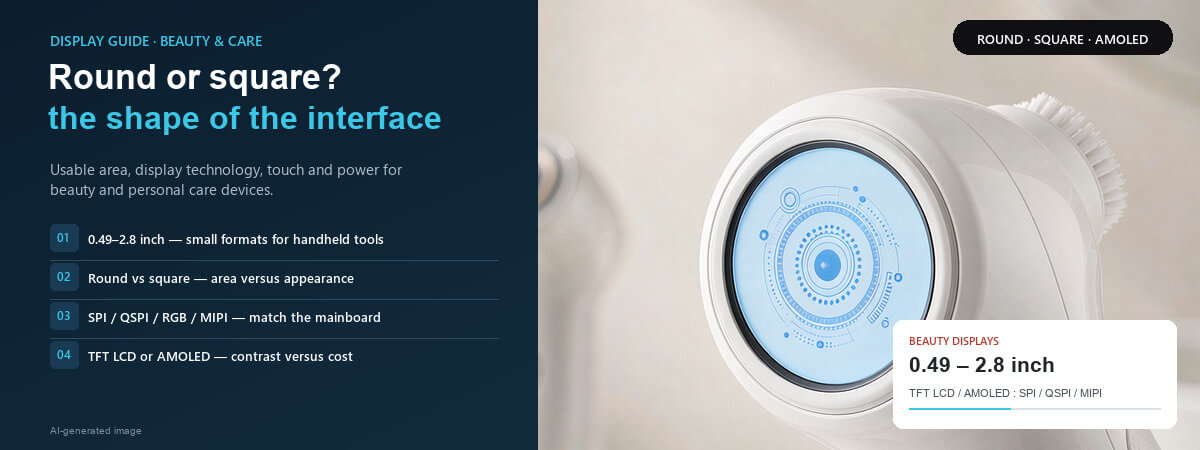
A facial cleansing brush shows its mode on a round screen the size of a coin; a skin analysis handheld lays out readings on a square panel; an IPL device counts down a treatment on a circular module flush with its housing. Three very different interfaces, one product category — and the display format that suits one will compromise another.
This guide splits beauty and personal care devices into the three families that matter for display selection — compact facial and skin-care tools, grooming and hair-removal devices, and multifunctional or analysis equipment — and works through what each actually demands: usable screen area for the interface, round or square geometry inside the housing, LCD versus AMOLED, touch behavior around water and lotions, and the power, interface and mechanical decisions that tie the module to the mainboard. For the industrial fixed-installation counterpart of the same decision process, see the guide to HMI displays in automation.
Contents
What the device shows and where the screen sits decide the display format — before any datasheet is opened.
Facial cleansing brushes, massage instruments and skin rejuvenation wands. The interface is usually a mode, an intensity level and a timer — a few icons and numbers, not a menu. A round screen sits naturally in a circular or curved housing, complements a rotary control, and keeps the front panel clean. Size, appearance and cost tend to lead the decision; need a closer look at the technology behind compact screens? The handheld gaming and wearables guide works through the same small-format trade-offs.
Electric shavers, trimmers and IPL hair-removal systems show battery status, charging information, energy or intensity levels and cleaning reminders. Space around the handle or head is tight, and the screen has to stay readable in a bathroom environment. Round TFT LCD and round AMOLED modules both fit here — LCD for cost-conscious designs, AMOLED for self-emissive contrast and a slim, premium feel.
Portable skin analysis devices and multi-function personal care stations show measurement results, numerical values, indicators and graphical information at the same time. A rectangular pixel arrangement organizes menus, labels and multiple parameters far more cleanly than a circle, so square displays dominate this group. For the clinical end of skin and personal care equipment, the healthcare display guide covers the adjacent requirements.
When the use case changes, the priority order changes with it: a simple handheld optimizes for appearance and compact integration, a grooming device for status readability in a tight housing, and an analysis tool for structured information. Pick the format against the actual interface, not against a general preference for round or square.
The difference is not just the shape — it is how much of the diagonal becomes usable screen area, and how the format fits the industrial design.
| Aspect | Round display | Square display |
|---|---|---|
| Appearance | Symmetrical and distinctive | Conventional and versatile |
| Interface layout | Best for simple information | Better for structured menus |
| Usable screen area | Limited near the corners | More rectangular usable area |
| Typical applications | Facial care, grooming, IPL devices | Skin analysis, multifunctional devices |
| Integration | Suits circular or curved housings | Suits rectangular front panels |
| Display options | Round TFT LCD and AMOLED | Square TFT LCD and AMOLED |
Round displays work well with circular buttons, rotary controls, rounded housings and symmetrical front panels. Square displays make it easier to organize menus, text, icons and multiple operating parameters. Browse the circular round display range and the square display range to see how the formats differ in real modules.
Size matters, but the diagonal measurement alone does not determine how much space the interface actually gets. Common small display sizes for beauty and personal care products:
| Display size | Typical applications |
|---|---|
| 0.49–0.96 inch | Compact indicators and wearable-style interfaces |
| 1.0–1.3 inch | Facial care devices and portable grooming products |
| 1.3–1.5 inch | Beauty instruments and smart personal care devices |
| 1.5–2.0 inch | Multifunctional skin care and home beauty equipment |
| 2.0–2.8 inch | Larger control interfaces and advanced personal care products |
A round and a square display with similar diagonal dimensions offer different usable areas and layout possibilities: a square provides more rectangular space for text and structured menus, while a round screen loses area near the edges and demands careful placement of information. Evaluate the active display area, module outline, bezel width and available mounting space together. For very compact products, a smaller outline dimension can matter more than a larger diagonal — see the 0.1–1.2 inch and 1.28–2.1 inch round formats, or the 0.3–6.8 inch square displays.
Choose round when appearance and compact integration lead the design. A round screen complements circular buttons, rotary controls, rounded housings and symmetrical front panels, creating a more unified product look.
Round TFT LCD and round AMOLED are both available. TFT LCD suits cost-conscious designs; AMOLED adds self-emissive pixels, high contrast and strong visual performance. Larger round formats are also available — see the 2.4–23.6 inch circular round display range.
Choose square when the device needs to present several pieces of information at once. Unlike a circular screen, a rectangular pixel arrangement gives menus, labels, numerical values and graphical interfaces a flexible layout.
For these applications, square displays built on TFT LCD or small AMOLED modules give a practical balance between screen area, power consumption and integration requirements.
After the shape, the technology decides contrast, power and cost. Small TFT LCD modules are widely used in beauty and personal care devices for their flexible sizes, multiple interfaces and broad resolution range. IPS TFT LCD is particularly useful when users view the screen from different angles. Key advantages:
Small AMOLED displays suit products that put appearance and visual quality first. Because each pixel emits its own light, AMOLED delivers deep blacks, high contrast and vivid colors in a slim construction. Typical advantages:
Compare the 0.95–1.77 inch and 1.8–5.9 inch AMOLED families against LCD requirements. The final choice depends on display requirements, power budget, operating interface, target cost and mechanical structure.
Some devices only need a status display; others need users to select treatment modes, adjust intensity or navigate multiple settings. For interactive interfaces, capacitive touch provides a convenient experience — selecting programs, adjusting intensity, setting operating time, switching functions, and checking battery and charging status.
Touch behavior must be evaluated in the real product environment. Beauty devices contact water, skincare products, oils and lotions, so the touch panel needs appropriate surface protection and controller configuration. Cover lens thickness, touch sensitivity, FPC routing and installation space also matter in compact housings. Explore the touch display range, capacitive touch displays and cover lens options. Not every product needs touch: for simple interfaces, physical buttons plus a small display can be more practical and cost-effective.
Most beauty and personal care devices are battery-powered, so display power affects runtime. TFT LCD typically requires a backlight that consumes power whenever the screen is on; AMOLED has no separate backlight, but its consumption varies with content, brightness and the proportion of illuminated pixels. Evaluate:
Automatic brightness adjustment or an appropriate screen timeout can reduce unnecessary drain. Balance visibility, user experience and battery life rather than choosing a technology on its own.
A small display module must work with the mainboard and fit the enclosure. Before selecting a display, confirm:
| Parameter | Design considerations |
|---|---|
| Display shape | Round or square |
| Screen size | Match the available front-panel space |
| Resolution | Support the required interface graphics |
| Display technology | TFT LCD or AMOLED |
| Touch function | With or without capacitive touch |
| Interface | SPI, QSPI, RGB or MIPI |
| Driver IC | Compatible with the mainboard |
| Operating voltage | Match the system power supply |
| FPC design | Connector position, pin count and cable length |
| Module dimensions | Fit the enclosure and mounting structure |
In compact beauty devices internal space is tight: confirm the display outline, active area, FPC bending direction, connector position and mounting method early. Check the MIPI interface options and the LCD controller board lineup when matching the mainboard.
Before committing to a format, review the decision against the product:
| Selection factor | Key requirements |
|---|---|
| Display shape | Match the housing and front-panel geometry |
| Usable area | Support icons, numbers or structured menus |
| Technology | TFT LCD for flexibility, AMOLED for contrast |
| Touch | Evaluate water, oils and lotions on the surface |
| Power | Balance brightness, on-time and battery life |
| Interface | SPI, QSPI, RGB or MIPI to the mainboard |
| Mechanics | Outline, active area, FPC and mounting confirmed early |
Standard modules do not always meet the specific requirements of a beauty device. Customization can align the display with the product's appearance and integration structure. Depending on the project, this may include:
For new product development, confirm the display shape, installation dimensions, electrical interface and user interface requirements before finalizing the enclosure design. Youritech provides small TFT LCD, round display, AMOLED and capacitive touch display solutions for beauty and personal care equipment — see custom LCD and OLED solutions or contact the team to discuss a project.
Beyond shape, it is usable screen area and fit. A round display suits circular housings and simple icon-based interfaces but loses space near the edges; a square display offers more rectangular area for menus, text and multiple parameters, and fits conventional front panels.
Round displays are common in facial brushes, shavers and IPL devices — they show modes, intensity levels, timers and battery status, and sit naturally in compact or curved housings. Choose a round TFT LCD for cost-sensitive designs or round AMOLED for higher contrast and a slimmer build.
When the interface presents several pieces of information at once — skin analysis readings, multiple treatment programs, labels, numerical values or graphical information. Square TFT LCD and small AMOLED modules organize these elements more cleanly than a circle.
Yes. Small round AMOLED modules are available alongside round TFT LCD. AMOLED offers self-emissive pixels, deep blacks, high contrast and slim construction, which suits premium beauty devices where appearance and visual quality lead the design.
Not always. Touch is useful when users select programs, adjust intensity or navigate settings, but simple interfaces often work better with physical buttons plus a small display. If touch is used, validate sensitivity, cover lens and controller behavior with water, oils and lotions on the surface.
SPI, QSPI, RGB and MIPI cover most compact modules. The choice depends on resolution, data bandwidth and the mainboard architecture; confirm the driver IC, pinout and operating voltage early in the design.
Yes. Round or square formats, custom sizes and resolutions, TFT LCD or AMOLED, capacitive touch, cover lens shape and printing, FPC length and connector position, brightness optimization, and interface or driver board matching are all possible. Confirm the mechanical and electrical requirements before locking the enclosure design.
Choosing between a round and square display for beauty and personal care devices involves more than appearance. Screen area, interface layout, display technology, touch functionality, battery consumption and mechanical integration all shape the decision. Round displays suit compact products with simple interfaces and symmetrical designs; square displays are more practical when a device must present detailed information or support multiple functions. The right format depends on the product structure, user interface, power budget and production requirements — working with a display supplier that supports both standard modules and customization helps reduce integration risk.
Youritech — Industrial LCD and Touch Display Solutions for Embedded Applications.


