Writer: Nilsson AndersRelease Time: 2026-11-27 03:07Browse: 27
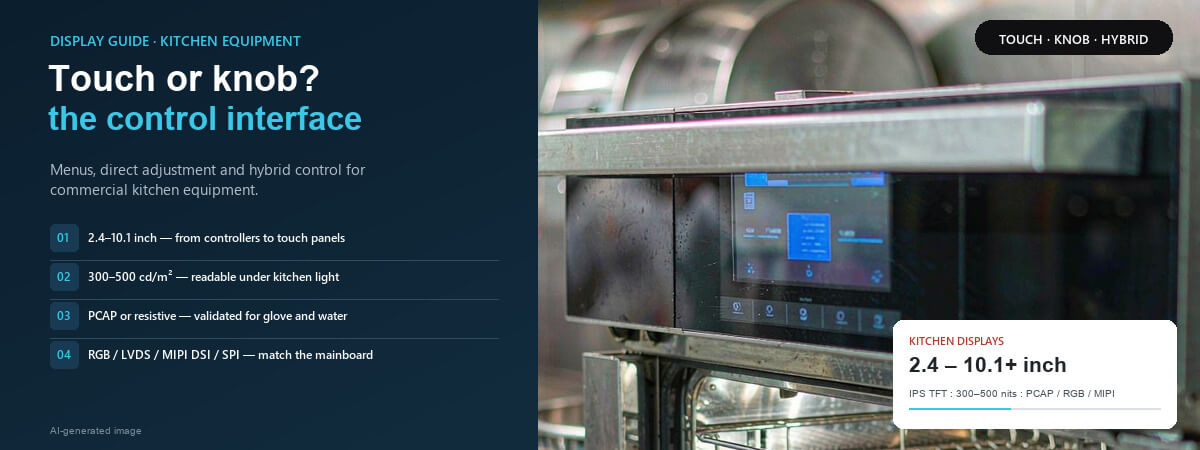
A chef changes oven temperature with a gloved turn of a rotary knob; a barista selects a drink from a touch display between espresso shots; a dishwasher's panel shows a cycle progress bar through a film of steam. Three very different control moments, one product category — and the interface that works in one will slow down another.
This guide splits commercial kitchen equipment into the three families that matter for control selection — ovens and combi steamers, coffee machines and dishwashers, and smart food preparation and frying equipment — and works through what each actually demands: menus versus direct adjustment, touch behavior with grease and water, heat and enclosure design, and the interface decision that ties the display to the control board. For the fixed-installation counterpart of the same decision process, see the guide to HMI displays in automation.
Contents
How the equipment is used and who operates it decide the control interface — before any datasheet is opened.
These appliances manage temperature, cooking time, humidity, heating mode and fan settings at the same time, often with preset cooking programs. A touch display organizes the parameters into menus and graphical interfaces, and provides status and error messages on the same panel. The smart HMI display range and the knob rotary display options show how the two control styles can live side by side.
Advanced coffee machines select beverage types, adjust brewing parameters, monitor cleaning cycles and display maintenance information. Commercial dishwashers show washing programs, cycle progress, water temperature and error notifications. Both benefit from a compact display with clear status information; a barista working at speed may still prefer a physical control for the one or two adjustments made repeatedly.
Intelligent kitchen appliances may need recipe selection, operating instructions and multiple adjustable parameters — territory where a touchscreen is hard to replace. A commercial fryer, by contrast, is often adjusted by feel: a physical knob for quick temperature changes paired with a small display showing current temperature and heating status. Explore the touch display range to see both compact and larger control formats.
When the use case changes, the priority order changes with it: complex programs favor touch, frequent direct adjustment favors a knob, and most real appliances need some of both.
The two serve different purposes: a touchscreen is a visual interface for menus, parameters and status; a knob is direct mechanical control without navigating a menu.
| Control type | Typical functions |
|---|---|
| Touchscreen controls | Selecting cooking programs; setting temperature and cooking time; displaying status and error messages; managing multiple heating or operating zones; maintenance reminders and operating instructions |
| Physical knob controls | Temperature adjustment; timer control; heating power selection; fan speed adjustment; manual mode selection |
Touch displays suit equipment with multiple modes and complex control requirements, supporting many functions through software without extra physical buttons. Knobs are preferred for frequently adjusted functions that need quick, blind operation. The decision should follow interface complexity and real working conditions — not appearance alone.
Choose touch when the appliance has multiple operating modes, programmable settings and a more advanced interface that needs organizing into menus.
For these applications, a TFT LCD with capacitive touch gives a clear visual interface and convenient menu navigation. See the capacitive touch display range for integration-ready formats.
Kitchen operators work under time pressure and often adjust settings without looking closely at the panel. A physical knob gives tactile feedback and a recognizable control position. Knobs are practical when:
A commercial fryer, for example, may use a knob for quick temperature adjustment while a small display shows the current temperature and heating status. That combination keeps direct control while adding clear visual feedback.
Commercial kitchens are harsher than ordinary indoor electronics environments. Interfaces meet cooking oil, steam, water splashes, cleaning chemicals and frequent temperature changes — all of which belong in the design process.
Distinguish the operating temperature rating of the display module from the temperature rating of the complete control panel. The cover lens options and wide-temperature components are useful starting points; for the physics of bright installations, see the LCD brightness note.
For a touchscreen interface, projected capacitive touch (PCAP) and resistive touch are the two technologies to consider.
| Technology | Advantages | Watch points |
|---|---|---|
| Projected capacitive (PCAP) | Smooth intuitive operation, multi-touch gestures, flat cover lens integration, flexible cover glass, modern graphical interfaces | Heavy gloves and water-covered surfaces need validation: glove operation, moisture rejection, grounding and controller tuning |
| Resistive touch | Responds to applied pressure, works with gloves or a stylus, suits certain industrial control environments | Different optical and interaction characteristics; validate against the actual cleaning procedure |
The final selection depends on the required touch experience, cleaning procedures, operating conditions and equipment design. Compare real modules in the capacitive and resistive touch ranges.
Size follows the control functions and available front-panel space: a basic temperature controller stays small, while a combi oven with multiple programs needs a larger touchscreen. Common sizes:
| Display size | Typical applications |
|---|---|
| 2.4–3.5 inch | Temperature controllers and basic equipment interfaces |
| 4.3–5 inch | Coffee machines and compact commercial appliances |
| 7 inch | Commercial ovens and intelligent kitchen equipment |
| 10.1 inch | Advanced cooking systems and multifunctional control panels |
| 10.1 inch and above | Large commercial kitchen interfaces |
Kitchen equipment often sits under strong overhead lighting, so the display must stay readable without excessive reflections. For many indoor commercial kitchen applications, 300–500 cd/m² is a useful starting point; installation position, ambient lighting, cover lens characteristics and viewing distance all change the requirement. IPS TFT LCD is a practical option for wide viewing angles and stable color — see the 5.2–10.1 inch and 10.2–17.3 inch ranges. Bright installations may call for the high-brightness display range.
For many appliances the answer is not touch or knob but both. A hybrid interface combines a touchscreen with physical knobs or buttons — for example, a touchscreen selects cooking programs and displays operating information, while a rotary knob adjusts temperature or time quickly.
A hybrid design balances modern appearance, operating efficiency and practical usability — useful when equipment combines complex programs with frequent manual adjustment, or when both visual feedback and tactile operation are required.
A display module must work with the appliance's mainboard and control system. Before selecting, confirm:
| Parameter | Design considerations |
|---|---|
| Screen size | Match the control panel dimensions |
| Resolution | Support the required interface graphics |
| Brightness | Ensure readability under kitchen lighting |
| Viewing angle | Maintain visibility from different positions |
| Touch technology | PCAP or resistive touch |
| Display interface | RGB, LVDS, MIPI DSI or SPI |
| Driver IC | Match the mainboard requirements |
| Operating voltage | Confirm power supply compatibility |
| FPC and connector | Check pin count, position and cable length |
| Operating temperature | Match the equipment environment |
Also account for electromagnetic interference from motors, heaters, switching power supplies and other electrical components. Display stability, touch accuracy and communication reliability should be verified in the complete equipment system — see the LVDS and MIPI options and the LCD controller board lineup.
Compare the control designs against the equipment:
| Selection factor | Touchscreen | Physical knob | Hybrid design |
|---|---|---|---|
| Complex menus | Excellent | Limited | Excellent |
| Quick adjustments | Good | Excellent | Excellent |
| Tactile feedback | Limited | Excellent | Excellent |
| Glove operation | Depends on touch configuration | Generally practical | Flexible |
| Interface flexibility | Excellent | Limited | Excellent |
| Cleaning design | Flat surface possible | Requires attention to gaps | Depends on construction |
| Typical applications | Smart ovens and coffee machines | Fryers and basic controllers | Premium commercial appliances |
Standard modules do not always meet the mechanical and functional requirements of commercial kitchen equipment. Customization helps integrate the display into different control panel designs. Typical options include:
For equipment installed near ovens, steamers or other heat-generating components, evaluate thermal conditions during the early design stage. Treat the display module, touch panel, cover lens, mounting structure and enclosure as one integrated control interface. Youritech provides TFT LCD, IPS displays, capacitive touch screens and customized display solutions for commercial and industrial equipment — from compact control displays to larger touch interfaces. See custom LCD and OLED solutions or contact the team to discuss a project.
It depends on the equipment and the working conditions. Touchscreens suit appliances with multiple modes, programmable settings and graphical interfaces; knobs suit frequently adjusted parameters, glove operation and tactile feedback. Many appliances use both in a hybrid design.
Commercial ovens and combi steamers, advanced coffee machines, dishwashers and smart food preparation equipment — all of which manage several parameters, presets, status information and maintenance messages in one interface.
Operators work under time pressure and often adjust the same setting without looking at the panel. A knob gives direct tactile feedback and a recognizable position, works with gloves, and stays simple when grease, water or food residue is present.
Yes, but validate it in the real conditions. Water droplets, steam and greasy surfaces can cause false touches or reduce sensitivity, and heavy gloves change behavior. Test moisture rejection, glove operation, grounding and controller tuning with the actual cover lens and enclosure.
2.4–3.5 inch for basic temperature controllers, 4.3–5 inch for coffee machines and compact appliances, 7 inch for ovens and intelligent equipment, 10.1 inch for advanced systems, and 10.1 inch and above for large kitchen interfaces. Front-panel space is the deciding constraint.
300–500 cd/m² is a useful starting point for indoor kitchens under strong overhead lighting. Installation position, ambient lighting, cover lens characteristics and viewing distance change the final requirement; IPS TFT LCD helps when viewing angles vary.
Yes. Custom sizes and resolutions, IPS TFT LCD or AMOLED, capacitive touch integration, cover lens shape and thickness, anti-fingerprint treatment, optical bonding, FPC and connector adjustments, brightness optimization, and interface or driver board matching are all possible. Evaluate heat and sealing early in the design.
Choosing between a touchscreen and a physical knob for commercial kitchen equipment depends on the operating environment, equipment functions and user requirements. Touch displays suit intelligent appliances with programmable settings, graphical interfaces and multiple functions; knobs remain practical for quick adjustments and tactile feedback. For many commercial kitchen products, a hybrid design gives the best balance of flexibility and ease of operation. The right solution depends on the appliance structure, workflow, environment and production requirements — working with an experienced display supplier early helps ensure the interface meets both functional and long-term reliability needs.
Youritech — Industrial LCD and Touch Display Solutions for Embedded Applications.


