Writer: Nilsson AndersRelease Time: 2026-11-27 05:23Browse: 39
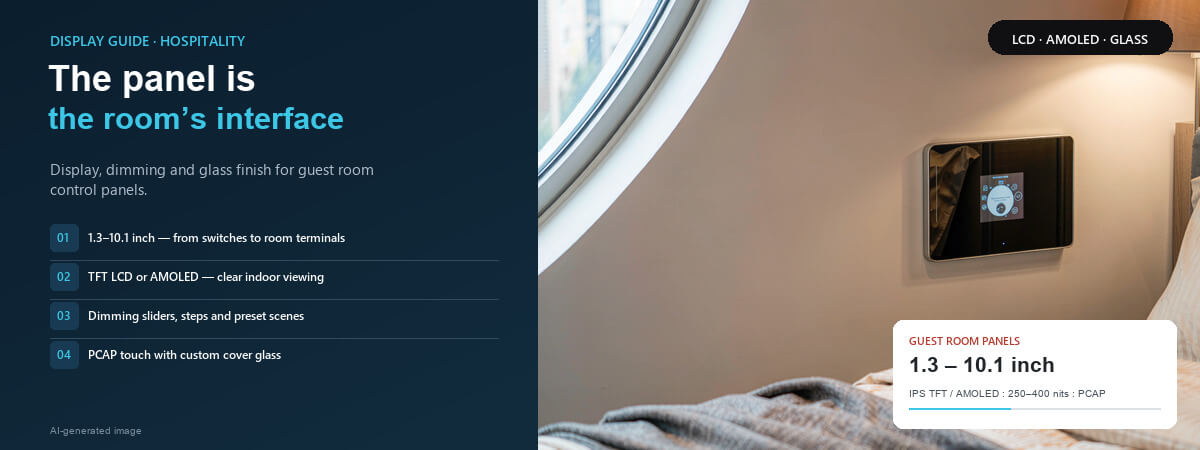
A guest dims the bedside light without leaving the pillow; a traveler sets the room temperature from a wall panel beside the door; a housekeeping icon lights up on a finished suite's control screen. Three different interactions, one product category — and the panel that feels natural in one room can look out of place in another.
This guide splits hotel guest room control panels into the three families that matter for display selection — compact room controllers, multifunctional lighting and climate panels, and premium centralized room terminals — and works through what each actually demands: display size and format, indoor readability by day and night, dimming interface design, cover glass finish, touch performance, and the electrical interfaces that tie the panel to the hotel automation system. For the industrial fixed-installation counterpart of the same decision process, see the guide to HMI displays in automation.
Contents
How many functions a panel controls and where it is mounted decide the display spec — before any datasheet is opened.
Basic smart switches and bedside controllers handling lighting, a few scenes and simple temperature adjustment. The interface shows a handful of icons and status indicators; a small TFT LCD with simple touch can be enough. Appearance and wall-plate dimensions matter more than raw resolution, and a consistent interface across room types simplifies installation and training.
Panels that manage room lighting and brightness, air conditioning, motorized curtains and blinds, Do Not Disturb and Make Up Room indicators, reading lights, housekeeping requests and selected power outlets. Guests should be able to adjust lighting or temperature without navigating complicated menus. This is where a square or rectangular display earns its space, organizing several functions in a structured layout.
Larger wall-mounted terminals in luxury suites and smart rooms, with graphical icons, detailed status information and room-service functions. Designers often specify custom printed cover glass, optical bonding and adjustable brightness so the panel disappears into the interior by day and stays gentle at night. For the consumer-electronics side of compact, design-led displays, see the handheld gaming and wearables guide.
When the use case changes, the priority order changes with it: a bedside switch optimizes for simplicity and finish, a multifunctional panel for clear access to several controls, and a premium terminal for a refined, integrated appearance.
Size follows the number of functions, panel dimensions, viewing distance and interior design. Common options:
| Display size | Typical applications |
|---|---|
| 1.3–2.0 inch | Compact smart switches and simple room controllers |
| 2.4–3.5 inch | Lighting and air conditioning control panels |
| 4.3–5 inch | Multifunctional guest room control interfaces |
| 7 inch | Centralized hotel room control terminals |
| 10.1 inch | Advanced smart room management panels |
The format should match the physical design. Square displays organize multiple icons and parameters in a structured interface. Wide rectangular formats give more horizontal space for temperature information, lighting controls and room status indicators in landscape wall panels. Round displays suit compact, design-oriented switches with a limited number of icons.
Panels are installed indoors but operate under daylight, bedside lighting and dimmed room light — the screen must stay readable without glare or looking too bright in a dark bedroom.
TFT LCD modules are widely used for their flexible sizes, resolutions and interfaces. IPS TFT LCD is especially useful when guests approach from the side: stable color and wide viewing angles improve readability. Advantages include multiple sizes and resolutions, wide viewing angles, colorful graphical interfaces, mature production technology and flexible integration with control boards — see the TFT LCD overview.
AMOLED suits premium panels where a slim build, high contrast and refined appearance lead the design. Self-emissive pixels need no separate backlight for dark areas, which works well with dark interface designs. Weigh brightness, interface compatibility, power consumption and long-term usage requirements — compare the AMOLED display family against the chosen LCD format.
Lighting is the most frequently used function: guests want bright light for working, softer light for relaxing and very low brightness before sleep. The interface should make those adjustments intuitive.
Distinguish display brightness from room lighting dimming. The display controls the visual output of the LCD or OLED module; room lighting dimming is managed by the hotel automation controller and compatible lighting drivers. The display provides the user interface — the actual dimming function belongs to the complete control system.
Cover glass is the most visible element of the panel and directly affects how it integrates with hotel interiors — wall finishes, furniture, lighting and decorative materials.
Evaluate the glass together with display brightness, touch sensitivity, optical performance and mechanical structure. See the cover lens options and the custom display service for finish and printing work.
Capacitive touch is widely used in guest room panels for its flat front surface and intuitive operation. A projected capacitive (PCAP) panel supports single- and multi-touch, menu selection and function switching, brightness sliders, temperature controls and custom graphical interfaces. Explore the capacitive touch display range for integration-ready formats.
For wall-mounted panels, touch must stay consistent in daily use. Consider cover glass thickness, touch sensor design, controller configuration, grounding and electrical noise from the surrounding system. Design the touch panel and display module as a complete assembly to secure optical performance and reliable mechanical integration.
Guest room panels work in bright and dark conditions: daylight creates reflections, while excessive brightness at night is uncomfortable beside a bed. For many indoor control panels, approximately 250–400 cd/m² is a useful initial reference; ambient lighting, cover glass treatment, viewing distance and display construction all change the requirement. Additional options:
A well-designed night mode keeps the control screen from disturbing the room environment. Before setting the target, review the LCD brightness note and the high-brightness display range for the upper end of the options.
The display must be compatible with the main control board and the hotel automation architecture. Common display interfaces:
Selection depends on resolution, refresh requirements, mainboard design, cable length and controller resources — see MIPI and LVDS options and the LCD controller board lineup. Confirm the following before selecting:
| Parameter | Design considerations |
|---|---|
| Display size | Match the wall panel dimensions |
| Resolution | Support the required graphical interface |
| Display technology | TFT LCD or AMOLED |
| Viewing angle | Ensure readability from different positions |
| Brightness | Suitable for day and night operation |
| Touch function | Capacitive touch or non-touch |
| Cover glass | Thickness, printing and surface treatment |
| Interface | SPI, QSPI, RGB, MIPI DSI or LVDS |
| Operating voltage | Match the control board |
| FPC and connector | Confirm pinout and mechanical arrangement |
In hotel automation systems, communication between the panel and the central controller may also use RS-485, CAN or system-specific protocols. These are separate from the display's pixel interface and should be considered during overall system integration.
A panel for a luxury hotel has different appearance and interaction requirements from one intended for a business hotel or serviced apartment. Customization helps maintain a consistent design across product models. Typical options include:
Confirm the display, touch panel, cover glass and mounting structure during the early design stage. That avoids unnecessary mechanical changes and shortens development.
Before finalizing the display solution, review the following requirements:
| Design factor | Key considerations |
|---|---|
| Screen size | Match the number of controlled functions |
| Display format | Round, square or rectangular |
| Display technology | TFT LCD or AMOLED |
| Touch technology | PCAP or non-touch |
| Brightness | Comfortable for daytime and nighttime use |
| Dimming interface | Slider, step control or preset scenes |
| Cover glass | Glossy, matte or custom printed |
| Surface protection | Anti-fingerprint and scratch resistance |
| Display interface | SPI, QSPI, RGB, MIPI or LVDS |
| Mechanical design | Wall mounting and enclosure integration |
| Power consumption | Suitable for continuous operation |
A good guest room control panel balances appearance, readability, ease of use and system compatibility — the display supports the intended functions without making the interface unnecessarily complicated. For compact room controllers, a small TFT LCD with a simple touch interface is usually enough; for premium hospitality projects, a larger display with custom printed cover glass, optical bonding and adjustable brightness gives a more integrated appearance.
Youritech provides TFT LCD, IPS displays, AMOLED, capacitive touch and customized display solutions for smart home and hospitality control panels — from display selection and cover glass customization to touch integration and FPC design. See custom LCD and OLED solutions or contact the team to discuss a project.
Depending on the automation system: room lighting and brightness, air conditioning and temperature, motorized curtains and blinds, Do Not Disturb and Make Up Room indicators, reading and bedside lights, housekeeping and room-service requests, and selected power outlets. Basic panels use physical buttons; advanced systems integrate a touchscreen.
1.3–2.0 inch for compact smart switches, 2.4–3.5 inch for lighting and air conditioning panels, 4.3–5 inch for multifunctional interfaces, 7 inch for centralized room terminals and 10.1 inch for advanced smart room management. Size follows the number of functions and the wall-plate dimensions.
TFT LCD is the common choice for its size, resolution and interface flexibility; IPS versions give the wide viewing angles guests need when approaching from the side. AMOLED suits premium panels where a slim build, high contrast, dark-background designs and a refined appearance lead the specification.
Use a brightness slider for continuous touch adjustment, step-based levels (25/50/75/100%) for a simpler interface, or preset scenes such as Welcome, Reading, Relaxation, Night and All Lights Off to adjust several zones at once. Display brightness is separate from room dimming, which is handled by the automation controller and lighting drivers.
Glossy glass enhances colorful interfaces but shows reflections and fingerprints; matte glass reduces reflections and suits bedrooms; anti-fingerprint coating helps frequently touched panels; custom printed glass adds borders, icons and logos and keeps a consistent look across room types.
Around 250–400 cd/m² is a useful starting point indoors. Daylight, cover glass treatment, viewing distance and construction change the requirement. Adjustable brightness, an ambient light sensor, a night mode and screen timeout help keep the panel comfortable in a dark bedroom.
Yes. Custom sizes and resolutions, round/square/rectangular formats, IPS TFT LCD or AMOLED, capacitive touch, cover glass shape and printing, matte or glossy finishes, anti-fingerprint treatment, optical bonding, FPC length and connector position, and interface or driver board matching are all possible. Confirm the mechanical and electrical design early.
Designing a guest room control panel involves more than selecting a touchscreen. Display size, TFT LCD or AMOLED technology, lighting dimming functions, cover glass finish, touch performance and system compatibility all shape the finished product. The right solution depends on the hotel automation system, interior design requirements and intended user experience — working with an experienced display supplier early helps align the panel with both the room and the production plan.
Youritech — Industrial LCD and Touch Display Solutions for Embedded Applications.


