Writer: Nilsson AndersRelease Time: 2026-11-27 02:01Browse: 33
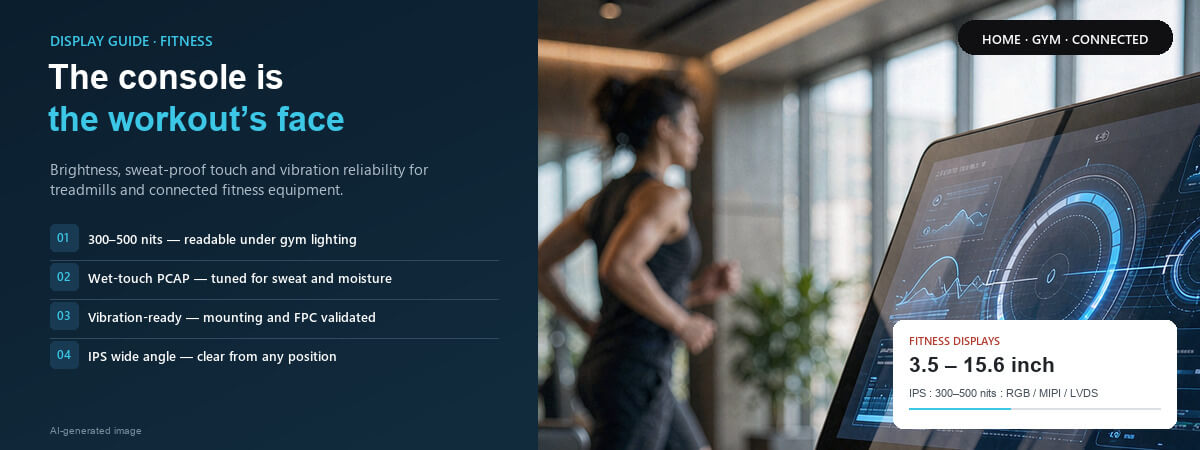
A runner taps the console mid-stride with a sweaty thumb; a commercial treadmill boots into a member profile before the belt starts moving; a connected bike streams a virtual ride to a screen that has to stay readable under bright studio lights. Three very different consoles, one product category — and a display that works in one will be a poor fit in another.
This guide splits fitness equipment into the three families that matter for display selection — home cardio machines, commercial treadmills, and connected fitness systems — and works through what each actually demands: brightness against changing indoor lighting, touch that survives sweat and moisture, mechanical reliability under continuous vibration, and the interface decision that ties the module to the console mainboard. For the industrial fixed-installation counterpart of the same decision process, see the guide to HMI displays in automation.
Contents
Where the machine sits and who touches the screen decide the display spec — before any datasheet is opened.
Compact treadmills, exercise bikes and ellipticals built for home use. The console shows essential workout data — speed, distance, time, calories and heart rate — and the buyer expects a clean, simple interface that works the moment the machine is switched on. Cost and power consumption matter, and a modest TFT LCD with a readable, well-spaced layout is usually the right answer. The display does not need to impress; it needs to stay legible and reliable over years of daily sessions.
Gym and fitness-center equipment runs for hours every day, used by hundreds of different people. The console carries member profiles, preset programs and usage data, and it has to keep performing under continuous vibration from running impact and motor movement. Readability under strong indoor lighting, robust mechanical mounting and long-term supply consistency rise to the top of the list here — a display change between production batches means a redesign the operator did not budget for.
Interactive bikes, treadmills and strength-training systems with workout programs, video playback, virtual training environments and fitness-app synchronization. The screen is the main product interface, not just a readout. It needs a larger format, higher resolution, responsive multi-touch and stable color from different viewing positions as users stand, lean in or cycle. For the design logic behind another screen-centric product category, see the cycling computer bike display guide.
When the use case changes, the priority order changes with it: a home machine optimizes for cost and simplicity, a commercial treadmill for durability and supply stability, and a connected system for visual quality and touch responsiveness. Pick the display against the actual equipment class, not a generic "fitness" label.
Size follows from what the screen is asked to do: a status readout can stay small; anything with menus, video or customer interaction needs real estate. Common design practice:
| Equipment type | Common size range | Typical display functions |
|---|---|---|
| Compact treadmill / exercise bike | 3.5–5 inch | Speed, distance, time, calories, heart rate |
| Mid-range treadmill / elliptical | 7–10.1 inch | Workout programs, training data, basic menus |
| Interactive touch console | 10.1–15.6 inch | Workout programs, video playback, interactive controls |
| Premium connected fitness system | 15.6 inch and above | Multimedia, virtual training, online coaching |
The screen should be large enough to show essential information clearly without making the console unnecessarily bulky — mechanical integration, mounting position and available front-panel space all constrain the choice. Explore 5.2–10.1 inch display panels and 10.2–17.3 inch display panels for integration-ready formats. Design the UI for the real viewing distance: text size, icon dimensions and touch-target spacing matter more than raw panel size. The PPI-versus-usable-UI trade-off is covered in the handheld gaming and wearables guide.
Fitness equipment sits in gyms, studios and home spaces where lighting varies widely. Too little brightness makes workout data unreadable under strong indoor light; too much raises power consumption and eye strain over long sessions. Reference ranges:
| Brightness | Potential application |
|---|---|
| 300–500 cd/m² | Most indoor fitness applications, controlled lighting |
| 500–800 nits | Bright gyms and fitness studios |
| 800+ nits | Semi-outdoor fitness areas, high ambient light |
Viewing angle matters just as much: users look at the console while standing, running or cycling, so text and colors must stay consistent off-axis. IPS TFT LCD is widely used for its wide viewing angles and stable color. Anti-glare treatment tames surrounding light, anti-reflection coatings help further, and optical bonding removes the internal air-gap reflection — at the cost of process control. Review the high-brightness display range, the note on adjusting LCD brightness, and high-brightness options when setting the target.
Touch is how users select programs, adjust resistance, control music and log into fitness apps. The two common technologies suit different interfaces:
| Touch technology | Best fit |
|---|---|
| Projected capacitive (PCAP) | Connected treadmills and premium consoles — responsive multi-touch, flat glass front, flexible cover lens design |
| Resistive touch | Simpler interfaces, or applications using gloves or a stylus |
For connected treadmills and premium consoles, capacitive touch is usually preferred for its user experience and design flexibility. The touch screen product line covers integration-ready builds such as capacitive touch displays; the resistive touch range shows the alternative construction.
This is where fitness touch differs from consumer touch. Sweat and moisture on the surface can confuse a standard capacitive controller — false touches, dead zones, phantom inputs — if the controller and firmware are not properly configured. Touch sensitivity, water resistance, grounding and controller tuning should be evaluated together, with the actual cover lens and enclosure, before the panel is signed off.
For most fitness consoles, TFT LCD — especially IPS TFT — is the practical default: the widest choice of sizes, resolutions, touch configurations and interfaces. The TFT LCD overview and IPS TFT panel options are good starting points. For premium connected fitness products where high contrast, vivid colors and a slim design are priorities, AMOLED is worth considering — see the AMOLED display family. The choice should follow the interface design and the environment, not the spec sheet headline.
Running impact, motor movement and mechanical adjustments generate continuous vibration in treadmills and other exercise machines. A module that performs well in a stationary device may not survive fitness equipment without additional mechanical evaluation. Key points:
Evaluate the cover lens, touch panel, LCD module and mounting structure as a complete assembly rather than as separate components. For commercial equipment, additional reliability testing under representative operating conditions is recommended; the cover lens options and custom display service cover mechanical integration work.
Sweat accumulates around the touch panel, cover glass and console edges during intensive workouts, so the design needs both front-surface and internal moisture protection. A bonded cover lens creates a smooth front surface and reduces gaps; optical bonding can also improve clarity and reduce internal reflections, depending on the design. Other considerations:
Distinguish the water resistance of the front panel from the protection level of the complete equipment enclosure — the final protection rating must be verified by testing the assembled product, not inferred from the panel. Surface-treatment and bonding options are handled through the cover lens and custom LCD and OLED service.
Commercial gyms run equipment for several hours every day, so display stability and component availability matter throughout the product lifecycle. The operating temperature range must match the real environment, including heat generated by the console, mainboard and surrounding electronics. Standard indoor specifications are usually sufficient; semi-outdoor fitness areas, unconditioned facilities or environments with large temperature swings may need an extended temperature range.
Long-term availability is the other half of the decision. Manufacturers often need identical display specifications across multiple production batches, and a long-term supplier with customization capability reduces redesign risk. For connected fitness products, manufacturers should discuss product lifecycle planning and long-term component availability with their display suppliers before finalizing the design.
Resolution should follow screen size and content: a basic console showing workout parameters needs far less than a connected display streaming video and detailed training statistics. Common resolutions:
| Resolution | Typical use |
|---|---|
| 480 × 272 | Compact display interfaces |
| 800 × 480 | Smaller TFT LCD consoles |
| 1024 × 600 | Mid-size touch displays |
| 1280 × 800 | Larger interactive fitness consoles |
| 1920 × 1080 | Multimedia-focused fitness systems |
The display interface must also match the mainboard and system architecture. Common choices are RGB, LVDS, MIPI DSI and eDP; selection depends on resolution, data bandwidth, cable length and mainboard compatibility — see LVDS and MIPI options and the LCD controller board lineup. Before selecting a display, confirm the interface type, connector pinout, voltage requirements, driver IC and timing parameters.
Before confirming a display module for a treadmill or connected fitness system, review the following specifications:
| Selection factor | Key requirements |
|---|---|
| Screen size | Match the console layout and viewing distance |
| Resolution | Support workout data and multimedia content |
| Brightness | Ensure readability under indoor lighting |
| Viewing angle | Maintain clear visibility during exercise |
| Touch technology | PCAP or resistive touch according to application |
| Mechanical reliability | Withstand vibration and repeated use |
| Surface protection | Consider sweat, scratches and fingerprints |
| Display interface | RGB, LVDS, MIPI DSI or eDP |
| Operating temperature | Match the equipment's thermal environment |
| Customization | Support mechanical and electrical integration |
A standard module rarely lands exactly on a fitness console's front panel, touch requirements and mainboard constraints. Customization may be needed to hit the desired appearance and installation structure. Typical options include:
For connected fitness equipment, early communication between the display supplier and the equipment manufacturer is especially valuable — it confirms the electrical interface, mechanical structure, touch performance and software compatibility before mass production. Youritech provides TFT LCD, IPS display, touch screen and customized display solutions for fitness equipment and other industrial applications, from display selection and touch integration to FPC customization and interface matching. See custom LCD and OLED solutions or contact the team to discuss a project.
TFT LCD is the common choice — it offers the widest range of sizes, resolutions, touch configurations and interfaces. IPS TFT LCD is worth specifying when the screen must stay readable from off-axis positions, which is typical on a treadmill console viewed by a standing or moving user.
Compact home machines generally use 3.5–5 inch displays for essential workout data; mid-range consoles use 7–10.1 inch; interactive touch consoles use 10.1–15.6 inch; and premium connected systems with video and virtual training use 15.6 inch and above. Size should follow the content and the available console space.
Yes — but wet-touch behavior, false-touch rejection, cover glass and controller configuration must be tested under real conditions, with moisture on the surface and the actual console enclosure. Touch sensitivity, water resistance, grounding and firmware tuning should be validated together.
For most indoor fitness applications, approximately 300–500 cd/m² is a reasonable starting point. Bright gyms or studios may call for 500–800 nits, and semi-outdoor areas more. Ambient lighting, screen size, cover lens and display construction all affect the final requirement.
The choice depends on resolution, data bandwidth, cable length and mainboard compatibility. Compact consoles often use RGB or MIPI DSI, while larger high-resolution displays may use LVDS or eDP. Confirm the pinout, voltage, driver IC and timing parameters early in hardware design.
No. IP codes describe the tested enclosure, not the bare panel. The water resistance of the front panel is different from the protection level of the complete equipment assembly — the final rating must be verified by testing the assembled console.
Yes. Custom sizes and resolutions, capacitive touch integration, cover lens shape and surface treatment, optical bonding, FPC length and connector position, interface and driver board matching, and brightness or temperature adjustments are all possible. Early supplier involvement helps lock the spec before mass production.
Choosing a console display for treadmills and connected fitness equipment means balancing visual performance, touch responsiveness, mechanical reliability and system compatibility. For basic machines, a compact TFT LCD with essential workout information is usually sufficient; for connected treadmills and premium equipment, larger IPS displays with capacitive touch give more room for interactive interfaces and multimedia. The most suitable solution depends on the equipment structure, user interface, operating environment and production requirements — working with an experienced display manufacturer early helps ensure the chosen display meets both functional and long-term reliability needs.
Youritech — Industrial LCD and Touch Display Solutions for Embedded Applications.


