Writer: Nilsson AndersRelease Time: 2026-11-25 03:19Browse: 54
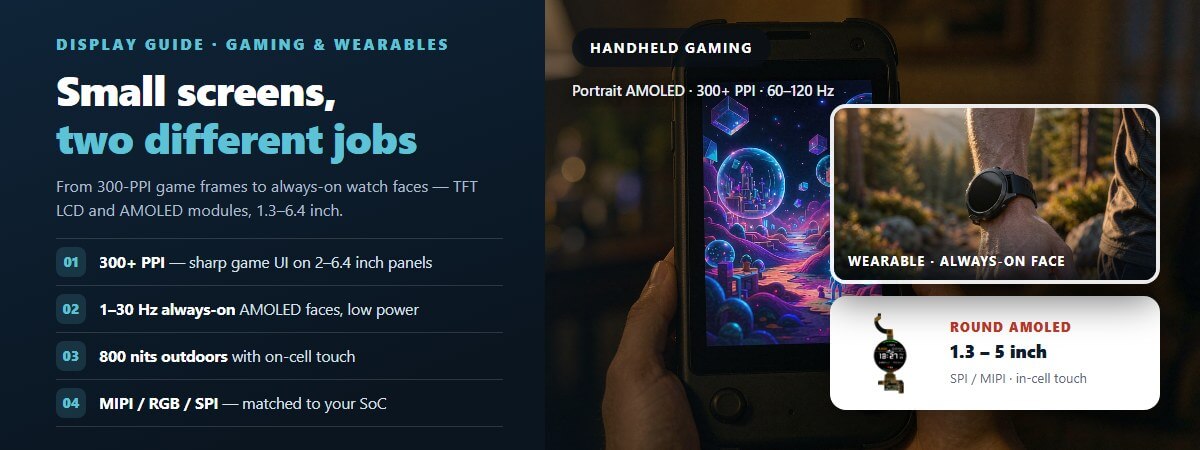
A handheld gaming console and a smartwatch can share a diagonal measurement and still need completely different panels. The console lives or dies by motion clarity and color; the watch lives or dies by milliwatts and whether the face is readable at noon. Choosing on price or size alone is how projects end up respinning a module two months before tooling freeze.
This guide is written from the panel side: what each product family actually asks of a display, where TFT LCD and AMOLED each win, what refresh rate and response time really cost, how brightness behaves once cover glass and bonding are added, and which concrete modules from 1.5 to 6.39 inch fit which kind of device. If your product is industrial rather than consumer, the same logic in a factory context is covered in What Is an HMI Display.
Contents

Two displays with the same diagonal can behave completely differently once resolution, aspect ratio, technology and duty cycle enter the picture. Before comparing modules, write down how the device is actually used hour by hour.
On a gaming device the display is the product. Players notice motion blur, ghosting and muddy color immediately, and reviewers measure them. What the panel has to deliver:
One system-level note that gets projects into trouble: panel refresh rate only matters if the GPU can feed it. A 120 Hz panel driven by a 45 FPS engine just averages two frames per refresh — no smoothness gain, extra power. Decide the frame-rate budget together with the SoC team before specifying the panel.
A smartwatch or fitness tracker shows content for a few seconds at a time, but it is on for 16 hours a day. Priorities invert accordingly:
The two profiles rarely share a single panel. If your roadmap covers both, treat them as two display projects.
Neither technology wins by default; the deciding factors are duty cycle, content, cost target and mechanical envelope. AMOLED emits its own light per pixel, so black content costs almost nothing; a TFT LCD's backlight runs whether the screen shows a starfield or a white menu.
| Factor | TFT LCD | AMOLED |
|---|---|---|
| Contrast and blacks | Backlight bleed limits blacks; IPS TFT contrast is typically 800:1 to 1500:1. | Per-pixel emission; blacks are truly off, contrast far higher. |
| Power profile | Roughly constant with backlight level; mostly independent of content. | Content-dependent: dark UIs sip power, bright white UIs can exceed an equivalent LCD. |
| Thickness | Backlight adds 0.5 to 1.5 mm plus the diffuser stack. | No backlight; the thinnest modules available. |
| Cost and supply | Mature supply chain, broad size range, lower unit cost at volume. | Higher unit cost, fewer size options, longer lead times on some panels. |
| Best fit | Cost-driven consoles, bright and mostly-white UIs, rugged handhelds, industrial portable devices. | Premium wearables, always-on dark watch faces, curved or round designs, HMD/AR micro displays. |
A practical way to decide: pick TFT LCD when cost, interface choice and supply depth dominate; pick AMOLED when contrast, thinness and a dark UI dominate. When the UI is mostly bright content at high brightness, AMOLED's power advantage disappears — check with real UI screenshots, not demo reels. Our range covers both paths: 3.5-inch 480×800 AMOLED with RGB and SPI for compact handhelds, and up to 7-inch 1080×1920 high-brightness wide-temperature AMOLED with capacitive touch for larger portable terminals.
Resolution is the total pixel count; pixel density (PPI, explained simply in pixels per inch) is what eyes actually perceive at a given distance; aspect ratio decides whether the panel fits the game UI or leaves you letterboxing.
Three rules that hold up in practice:
If the budget forces a choice, spend resolution where text lives (status bars, scores, notifications) rather than chasing the highest headline number.
Panel brightness is measured bare, in a dark room, at full backlight. Your product adds cover glass, a bonding layer and reflections — and the finished device always reads dimmer than the datasheet.
For consoles, 350 to 450 nits covers indoor use. If marketing promises "play outside", budget 800 nits or more and demand anti-reflection treatment; a glossy cover over a 500-nit panel can be harder to read outdoors than a matte 400-nit one. Brightness control (auto-dimming, night mode) is worth designing in early — see how to adjust LCD screen brightness.
For wearables the arithmetic is harsher: the panel is read under direct sun during exercise, yet it shares a small battery with everything else. This is where high-brightness AMOLED earns its cost — the 2-inch 800-nit AMOLED linked above exists precisely because 350-nit watch faces disappear on a sunny trail. The trade is peak brightness duty cycle: 800 nits is for outdoor glance moments, not a permanent setting, or the battery pays for it all day.
Also worth deciding early: whether the module supports optical bonding. An air-gap stack loses 8 to 12% of brightness to internal reflections and fogs up in cold weather; bonded fronts cost more per unit but usually buy more readability than a brightness-class jump.
These two get conflated and they describe different failure modes. Refresh rate (Hz) is how often the panel can accept a new frame; response time is how fast a pixel actually changes color once the new frame arrives. A panel can update 120 times a second and still smear if its response time is 25 ms.
For a gaming console, check in this order:
For wearables, high refresh is mostly wasted money. A watch UI runs happily at 30 to 60 Hz for interaction and drops to 1 Hz on the always-on face; smooth animation is nice, battery life is non-negotiable.
Most consumer handhelds and wearables use projected capacitive touch — it supports gestures, multi-touch and a clean glass front, which is why modules like the 4.2-inch 720×672 MIPI TFT with capacitive touch and the on-cell AMOLEDs above are specified this way. On-cell touch (sensor built into the display stack) saves 0.4 to 0.8 mm versus a separate add-on touch panel — meaningful inside a watch case.
Resistive still has its corners: gloved operation, stylus input, wet or dusty environments, and the lowest cost. If your "wearable" is actually an industrial armband scanner or a dive computer, the calculus changes — a 4.4-inch CPU module with 4-wire resistive touch is a typical fit there. Construction details (G+F vs G+G stacks, cover lens thickness, bonding) are covered on our touch panel page.
One warning for round wearables: touch coordinates on a circular panel need dead-zone handling at the corners of the bounding rectangle, and gesture sets designed for rectangles often map badly to a dial. Prototype the touch map before freezing the UI.
The interface decides how much pixel data you can move, and it is fixed by the mainboard long before the panel is chosen. Quick reference:
| Interface | Typical fit | Watch out for |
|---|---|---|
| MIPI DSI | The default for AMOLED and modern TFT in handhelds — most SoCs expose it. | Lane count and bit depth must cover resolution × refresh; video vs command mode affects always-on power. |
| RGB (TTL) | Small to mid TFT, simple MCU-based handhelds. | Practical ceiling around 800×480; timing register mismatches are the classic bring-up failure. |
| SPI / QSPI | Tiny wearable panels with static UIs — our 1.5-inch round SPI module runs this way. | Fine for icons, numbers and watch faces; hopeless for full-frame animation. |
| HDMI / AV (via driver board) | Micro-OLED development kits and HMD prototypes. | For evaluation and headset designs, not for mass-produced handhelds. |
For gaming and AR/VR headsets specifically, micro-OLED panels in the 0.23 to 0.7 inch range — such as the 0.49-inch 1920×1080 sunlight-readable AMOLED with drive board for HMD/AR/VR — carry their own bandwidth and optics considerations and deserve a dedicated article. Send the SoC side of the design early and we will check panel, interface and touch controller against each other; scope and options are listed on the custom LCD/OLED page.
Before sending an enquiry, pin these down — they map one-to-one onto what a display supplier needs (and onto our display FAQ):
| Question | Why it matters | Typical answer pattern |
|---|---|---|
| Device type and duty cycle? | Console (hours of full-frame motion) and wearable (all-day glance) lead to opposite panel choices. | "Handheld console, 3 h sessions" / "Smartwatch, always-on face." |
| Size, shape and aspect ratio? | Enclosure decides round vs rectangular and the aspect ratio the UI must live in. | "1.4 inch round" / "5.5 inch, 16:10, bezel ≤ 2 mm." |
| Resolution and PPI target? | Sharpness at actual viewing distance; also sets GPU and bandwidth load. | "≥ 300 PPI at 30 cm" / "Round, 466 × 466." |
| Refresh and response targets? | Motion clarity for gaming; near-irrelevant for most wearables. | "60 Hz min, visible ghosting unacceptable" / "30 Hz interactive." |
| Brightness environment? | Sets the brightness class and whether bonding/AR treatment is required. | "Indoor" → 350–450 nits; "outdoor use" → 800+ nits. |
| Battery budget for the display? | Decides LCD vs AMOLED and the always-on strategy. | "Display ≤ 25% of total power, AOD at 1 Hz." |
| Interface on the mainboard? | The least flexible constraint in the whole stack. | "MIPI 4-lane" / "RGB888" / "QSPI." |
| Touch requirements? | Capacitive vs resistive, on-cell vs add-on, thickness ceiling. | "On-cell PCAP, glove mode optional." |
Youritech supplies display modules for handheld and wearable product developers from 0.23-inch micro OLED to 12.6-inch AMOLED. For gaming and wearable projects the work usually lands in one of four buckets:
Customisation covers outline dimensions, FPC and connector position, touch stack (G+F / G+G, on-cell), bonding and cover glass. To move fast, send device type, size and shape limits, interface, brightness and battery budget — and a drawing if the mechanical design exists. Request a quote or send your requirements.
No. AMOLED saves power when the content is dark, because black pixels are off. A bright, mostly-white UI at high brightness can draw more than an equivalent LCD. Model power with your real UI screenshots at your real brightness settings.
Only if the GPU delivers 120 frames per second. Otherwise the panel repeats frames and you pay the extra power for nothing. Agree the frame-rate target with the SoC team before specifying refresh rate.
Around 300 PPI or better at typical wrist-watching distance, mainly so small antialiased text stays clean. Below roughly 250 PPI, text on a 1.5 to 2 inch panel starts to look visibly pixelated.
Yes — the touch sensor is rectangular and the bezel covers the corners — but the UI must handle dead zones and gesture mapping for the dial shape. Prototype the touch map before freezing the UI.
Because the datasheet measures the bare panel in a dark room. Cover glass, air gap, touch layer and reflections each take a bite — an untreated air-gap stack alone can cost 8 to 12%. Optical bonding and anti-reflection treatment usually buy back more readability than a brightness-class jump.


