Writer: Nilsson AndersRelease Time: 2026-11-25 05:59Browse: 50
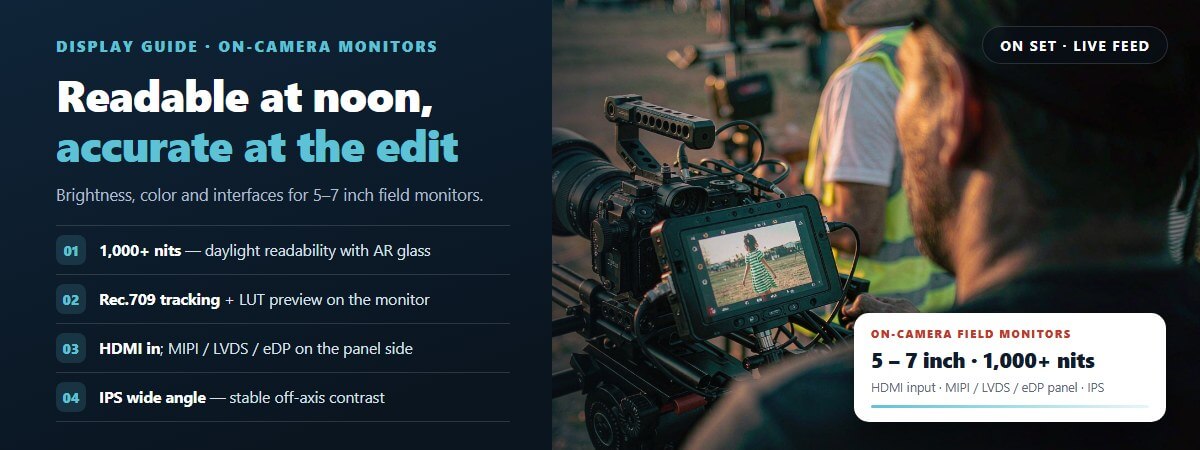
A 5-inch monitor that looks flawless on a desk can turn into a mirror at noon. An SDI input that works on the bench can drop frames the moment the camera moves. Field monitors fail in the field, which is why display selection for them deserves more than a size-and-price check.
This guide walks through the decisions that actually shape a field monitor: how brightness behaves once cover glass and reflections enter the picture, what "accurate color" means beyond a gamut spec, how to do the PPI math before choosing resolution, and why the external video input and the internal display interface are two different conversations. If your product serves factory floors instead of film sets, the same logic in an automation context is covered in What Is an HMI Display.
Contents
Before comparing datasheets, write down where the monitor will spend its working life. The three common environments pull the display in different directions.
Direct sun and shifting ambient light punish anything short of a high-brightness panel. A screen that reads clearly indoors becomes unreadable outdoors, and no firmware trick fixes that. Brightness, anti-reflection treatment, viewing angle and thermal behavior are the four specs that matter here.
Controlled lighting removes the brightness pressure and shifts the focus: color consistency, grayscale tracking and resolution. Reviewing footage for hours on a panel with drifting white balance is worse than reviewing it on a smaller screen with stable color.
Live production cares about reliability and latency. The monitor must hold the incoming signal without dropouts, keep up with fast image changes, and run for a whole shoot without thermal throttling. Signal compatibility and refresh behavior lead the spec list here.
Decide the environment first — every choice after that becomes easier.
Brightness is measured in nits (cd/m²). More nits help in bright environments, but the number on the datasheet is not what the operator sees — reflections, contrast and cover glass treatment all take a share. A 1,000-nit panel behind glossy glass in direct sun can lose to a 700-nit panel with good anti-reflection treatment.
| Brightness | Typical Application |
|---|---|
| 300–500 nits | Indoor monitoring and controlled lighting |
| 500–800 nits | General-purpose portable monitors |
| 800–1,000 nits | Brighter environments and some outdoor use |
| 1,000–2,000 nits | High-brightness outdoor monitoring |
| Above 2,000 nits | Specialized high-brightness applications |
These are selection ranges, not guarantees — sunlight readability is a property of the whole optical stack. For a deeper dive into how brightness is specified and controlled, see how to adjust LCD screen brightness, and for what high ambient light demands of a panel in another outdoor product, the high-brightness display guide for drones covers the same physics.
For outdoor field monitors, evaluate:
A high-brightness IPS TFT LCD remains the practical backbone of portable field monitors: strong outdoor visibility, a wide range of sizes, and interfaces that pair cleanly with monitor mainboards.
Camera operators use the monitor to judge exposure, detail and color — so a wide gamut alone says little. Accuracy is a chain: panel, backlight spectrum, image processing, calibration and the signal path all contribute.
The common reference spaces in video production:
Match the gamut target to the customer's workflow, not to the biggest number available.
When comparing displays and monitor electronics together, review: color temperature consistency, white balance, grayscale tracking, gamma response, color uniformity, and calibration support. A panel with excellent native color can still ship inaccurate if the processing and calibration pipeline is weak — and vice versa.
3D LUTs transform incoming image data to preview a look or map to a color profile. LUT processing lives in the monitor's image-processing system, not in the LCD panel. Keep the two separate when reading specs: native panel color performance is one line item, processing capability is another, and a field monitor needs both to deliver accurate monitoring.
Field monitors run from compact 5-inch units to 7- and 10-inch production models. Bigger screens make framing comfortable but grow the enclosure and the power budget. Resolution should follow from screen size, viewing distance and the detail level operators need to inspect — a useful shortcut is to compute pixel density before shortlisting panels. A 5-inch 1920×1080 panel lands around 440 PPI; the same resolution across 7 inches drops to roughly 314 PPI; an 800×480 five-incher sits near 187 PPI, where focus-peaking detail starts to smear.
| Screen Size | Common Resolutions | Typical Use |
|---|---|---|
| 5-inch | 800×480, 1280×720, 1920×1080 | Compact camera-mounted monitors |
| 5.5-inch | 1280×720, 1920×1080 | Portable professional monitoring |
| 7-inch | 1280×800, 1920×1200 | General field and production monitoring |
| 10-inch | 1920×1080, 1920×1200 | Larger on-set monitoring |
These are common design points, not rules. Confirm that the monitor's signal processing supports the resolution you pick — and if pixel density trade-offs interest you, the display-choice logic in handheld gaming and wearables works through the same PPI arithmetic at smaller diagonals.
Field monitors live on rigs and tripods, tilted and viewed from the side. Wide viewing angles keep the image readable from operator positions that are never dead-center. This is where IPS TFT LCD technology earns its default status for monitoring: contrast and color hold up across a wide cone of viewing positions, and IPS panel options exist across most monitor-relevant sizes.
Response time matters when subjects move fast. A slow panel shows motion trails on panning shots and whip pans. Note that refresh rate and response time are different characteristics: refresh rate is how often the display redraws; response time is how quickly a pixel changes state. A panel can be specified at 60 Hz and still ghost if its response is sluggish. Review viewing angle data, response time, refresh rate, motion behavior and contrast stability at off-axis positions together — against the actual video signals and processing your design will carry.
Here is the distinction that gets skipped early and bites late: the external video input and the internal display interface are not the same thing, and neither decides the other.
HDMI dominates consumer and prosumer cameras — mirrorless, DSLR and portable video devices. It is the default input for compact field monitors because nearly every camera the customer owns speaks it.
SDI belongs to broadcast and cinema workflows, with the locking connectors and cable runs professional sets rely on. A monitor aimed at professional production often carries both HDMI and SDI; the mix should follow the target market's camera population.
Inside the enclosure, the mainboard feeds the panel through a display interface chosen during module selection:
| Interface | Typical Characteristics | Design Considerations |
|---|---|---|
| MIPI DSI | High-speed serial interface | Requires a compatible display controller and mainboard design |
| LVDS | Differential signal transmission | Common in industrial and embedded display systems |
| eDP | High-speed embedded display interface | Suits systems designed around eDP connectivity |
| RGB | Parallel pixel data transmission | Signal timing and pin count need careful planning |
An HDMI input on the enclosure does not mean the panel takes HDMI. The mainboard receives and processes the video signal, then drives the panel through its internal interface. When choosing a custom display module, confirm the interface, driver IC and bandwidth against the mainboard architecture early — our LCD controller board lineup covers the bridge between video input and panel on most monitor designs.
Both technologies can work in a field monitor; they optimize for different things.
| Comparison | TFT LCD | AMOLED |
|---|---|---|
| Light generation | Backlight | Self-emissive pixels |
| Brightness | High-brightness options widely available | Depends on panel design and operating conditions |
| Black level | Set by LCD structure and backlight control | Pixels switch fully off; near-infinite contrast |
| Color | Panel and backlight design dependent | OLED material and panel design dependent |
| Power | Backlight-dominated, fairly constant | Content- and brightness-dependent |
| Integration | Broad size, resolution and interface range | Selected compact and high-resolution formats |
For outdoor field monitors, high-brightness TFT LCD is usually the pragmatic pick: it exists in the sizes, resolutions and interfaces monitor mainboards need, and it holds brightness under sustained load. AMOLED earns its place when deep blacks, contrast and a slim structure matter more than sustained peak brightness — the OLED display family includes suitable modules such as the 6.39-inch 1080×2340 AMOLED with capacitive touch and the compact 3.5-inch high-contrast AMOLED. Judge the technology against sustained brightness, thermal conditions and environment — the whole design decides, not one spec.
Field monitors run on batteries, so the display's power profile is a battery-life decision. For LCD modules the backlight dominates; for AMOLED, consumption tracks image content and brightness. Compare typical and maximum display power, operating voltage and current, backlight driver requirements, heat generated at high brightness, and the thermal conditions inside a sealed enclosure on a hot set. A panel that hits the brightness target but torpedoes the battery budget is not a candidate. Thermal-test under realistic conditions — full brightness, prolonged runtime, enclosed housing — not on an open bench. A worked example of pushing brightness in a compact, thermally constrained format is the 7-inch high-brightness wide-temperature AMOLED.
The display has to survive transport, mounting and a day of handling. Confirm early: active area and outline dimensions, module thickness, FPC position and bending direction, mounting structure, cover lens dimensions, connector placement, and operating/storage temperature ranges. A panel that is electrically perfect but conflicts with the enclosure's screw bosses is still a redesign.
Many field monitors add a touchscreen for menus and exposure tools. Capacitive touch is the usual choice — responsive multi-touch with good optical clarity. See the touch screen product line for integration-ready examples such as the 4.2-inch TFT LCD with capacitive touch. Cover glass, touch sensor, display module and controller should be designed as one stack; optical bonding can close the air gap and improve outdoor visibility, but evaluate bonding materials, process quality, mechanical stress and repair implications before committing.
Run this list before releasing a display module to purchasing:
| Selection Item | Questions to Confirm |
|---|---|
| Application | Outdoor filming, studio monitoring or live production? |
| Screen size | 5-inch, 5.5-inch, 7-inch or another size? |
| Resolution | Is HD or Full HD sufficient — and what PPI does that give? |
| Brightness | What ambient light must the monitor survive? |
| Color | Is Rec. 709 coverage enough, or is a wider gamut required? |
| Viewing angle | Will operators view from off-axis positions? |
| Response time | Does the content involve fast motion? |
| External input | HDMI, SDI, or both? |
| Internal interface | Does the module's interface match the mainboard? |
| Touch | Is capacitive touch required? |
| Power | Does the display fit the battery and thermal budget? |
| Mechanical | Do dimensions and FPC layout fit the enclosure? |
Closing these questions early is cheaper than respinning a module after tooling freeze.
A standard module rarely covers every field monitor design. Brightness, resolution, outline, touch stack, FPC routing and interface all end up negotiated against the mechanical and electrical design. Youritech provides LCD and touch display solutions across industrial and consumer applications, supporting display selection, module customization and integration — see the custom LCD and OLED service and typical display solutions by application.
For field monitor projects, customization typically covers:
Evaluate the display together with the video processing board, enclosure, power system and thermal design — not as a standalone part. If you are developing a portable camera monitor or professional monitoring device, contact Youritech to discuss your requirements.
Request a Quote / Get a Custom Display Solution
It depends on the filming environment. Around 300–500 nits may be enough indoors; outdoor work usually needs 1,000 nits or more. Direct-sunlight readability also depends on reflection control, contrast and the complete optical design.
Yes. IPS TFT LCD is a common choice because it holds wide viewing angles and stable image visibility — exactly what a rig-mounted monitor needs. Actual performance depends on the specific panel.
HDMI is an external video input that carries signals from cameras into the monitor. MIPI DSI is an internal display interface that connects the display module to the mainboard. A monitor can take HDMI in and drive the panel over MIPI at the same time.
No. Gamut describes the range of reproducible colors. Accuracy depends on calibration, white balance, grayscale tracking, gamma response and the monitor's image-processing system — a wide-gamut panel with poor tracking still misrepresents color.
Not necessarily. AMOLED offers self-emissive pixels and deep blacks; high-brightness TFT LCD is usually more practical for sustained outdoor brightness. Choose by brightness, power, thermal conditions, color requirements and cost.
Yes. Size, resolution, brightness, touch integration, FPC layout and internal interface can all be customized subject to technical feasibility — the earlier these are fixed against the enclosure and mainboard design, the fewer surprises later.
Not always. HDMI covers consumer and portable camera systems; SDI belongs to broadcast and cinema workflows. Match the input set to the cameras your target customers actually use.
An on-camera field monitor display is chosen at the intersection of brightness, color, resolution, interfaces, power and mechanics. Outdoor work pushes brightness and reflection control to the top; professional monitoring raises the bar on color and resolution; and the internal display interface plus module dimensions must line up with the mainboard and enclosure regardless. Fix these requirements early, and the display supports reliable operation instead of causing a redesign.


