Writer: Nilsson AndersRelease Time: 2026-11-26 06:24Browse: 31
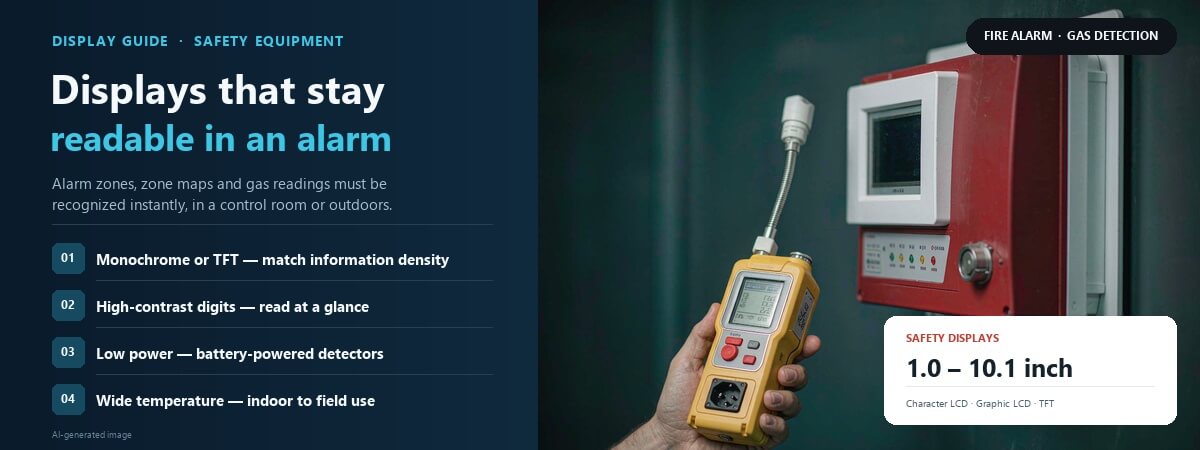
An operator in a building control room scans the alarm zone list on a wall-mounted panel; a field technician checks a gas reading at arm's length inside a confined space; a maintenance engineer reads a fault message during a night shift. Three very different screens, one product category — and the display that works for one will fail for another.
This guide splits safety equipment into the two families that matter for display selection — fire alarm control panels and portable gas detectors — and works through what each actually demands: how much information must be shown at once, readability under real lighting, power budget, temperature range and the interface that ties the module to the control board. For the fixed-installation counterpart of the same decision process, see the guide to HMI displays in automation.
Contents
Where the equipment sits and who reads it decide the display spec — before any datasheet is opened.
Installed in building control rooms, electrical rooms and security monitoring areas. The panel receives signals from detectors, manual call points and other fire protection devices; the display carries system status, alarm location, device address, fault and trouble notifications, disabled zones, event history and configuration menus. It usually sits behind a front panel or protective window. Information has to stay distinguishable when several events arrive at once — a screen that shows a single alarm clearly but buries the second one is a poor choice for this job.
Carried by workers through industrial plants, confined spaces and field inspections. The screen shows gas type and measured concentration, units such as ppm or %LEL, alarm thresholds, battery level, sensor status, calibration and warm-up information, measurement range and operating mode. It is battery-powered and read at arm's length, often through protective equipment. Every millimeter of front-panel area and every milliamp of backlight current matters here.
A fire alarm panel generally has enclosure space and mains power, so it can afford a larger display with more information density. A portable detector has neither: compact outline, low power and outdoor readability come first. Readability and reliable information presentation matter more than multimedia performance in both cases, but they are achieved in completely different ways. For the fixed-installation counterpart of this decision, the HMI display guide covers the same trade-offs in industrial automation.
Both applications live or die by readability, but the viewing conditions are not the same.
| Display Factor | Fire Alarm Panel | Portable Gas Detector |
|---|---|---|
| Viewing distance | Wall-mounted, read from a step or two back | Arm's length, sometimes through PPE |
| Lighting | Dim equipment room to brightly lit control area | Indoor, outdoor and direct sunlight |
| Key content | Zones, event lists, device addresses, fault states | Large digits, units, thresholds, alarm level |
| Information density | Multiple simultaneous events must stay separable | One or a few readings must be recognized instantly |
For a panel that mainly presents text, numbers and simple status, a monochrome LCD is enough — and often easier to read at a glance than a busy color interface. A TFT LCD earns its place when the UI needs graphical floor plans, stacked event lists or layered menus. The practical test is not color depth but whether an operator can pick out the alarm location and the device address without hesitation when the screen is full.
For a portable detector, the most important number must be legible before the user has time to study the screen. Large numerals, clear units and unmistakable alarm indicators do more than extra pixels. Outdoors, evaluate the complete optical stack — LCD, cover lens, surface treatment and protective window — not just the panel's nits figure. A display that looks fine indoors can turn into a mirror in direct sun; the trade-offs are the same ones covered in the high-brightness display guide.
Size follows the information load, the enclosure and the viewing distance. Indicative product design ranges:
| Application | Possible Display Size | Typical Display Requirements |
|---|---|---|
| Compact fire alarm panel | 2.4–4.3 inch | Text, icons and status information |
| Graphic fire alarm panel | 4.3–7 inch | Event lists, menus and graphical interfaces |
| Advanced fire control panel | 7–10.1 inch | Larger interface and detailed system information |
| Portable gas detector | 1.0–2.4 inch | Gas readings, units and alarm status |
| Advanced portable gas detector | 2.4–3.5 inch | Multiple gas readings and additional menus |
These are design references, not mandatory dimensions or regulatory requirements. On a compact detector, a smaller screen saves front-panel area and helps keep the enclosure light — but the digits must stay comfortably readable, and that sets a real lower limit. A fire alarm panel has more room, so a larger display is justified when the interface must show multiple event records or a zone map.
Resolution should follow the interface. If the product only shows a few numbers and status icons, more pixels buy nothing and cost power and controller bandwidth. Design the UI around the real viewing distance: character height, contrast, spacing and how many events fit on one screen. A high-resolution panel with cramped text is worse than a modest display laid out for the distance operators actually stand at.
Three display technologies cover almost all designs in this category. The right one depends on the information layout, not on what looks impressive in a datasheet.
| Display Type | What It Does Well | Typical Use | Trade-off |
|---|---|---|---|
| Character LCD | Fixed-format text and numbers, simple interface | Basic alarm panels, compact gas detectors | Little freedom in layout or graphics |
| Monochrome graphic LCD | Custom icons, symbols and flexible information layout | Portable detectors, mid-range alarm panels | No color coding; software artwork must be maintained |
| TFT LCD | Color graphics, zone maps, layered menus, touch | Advanced fire control panels, analysis instruments | Higher power, controller load and software work |
Start with a character LCD when the content is fixed-format and the priority is a clear status readout at low cost and low power. Move to a monochrome graphic LCD when warning symbols or a custom layout are needed but a full-color UI would be overkill. Choose TFT when the interface genuinely uses graphical zone maps, event navigation or multiple measurement screens. See the TFT LCD overview for size and interface options.
Whichever technology is chosen, check it at the system level: controller resources, interface compatibility, power budget and the software effort to build and maintain the UI. A display that needs a custom driver and a graphics stack is a different project from one that writes characters to a bus.
Not every fire alarm panel or gas detector needs touch. The decision should follow how the equipment is operated, not the other way round.
Touch simplifies navigation through menus, event records and system settings. Projected capacitive (PCAP) touch suits many modern control panels: responsive input and a smooth front surface, with the interaction operators already expect from a phone. See the touch screen product line for integration-ready modules.
Before specifying it, check whether operators wear gloves, whether the panel sits in a dusty area, how the front cover affects sensitivity, whether accidental touches must be rejected, and whether physical buttons are still needed for essential actions. For safety-related controls, the touch layer is part of a validated system design — the display and touch function alone do not establish compliance with any fire alarm requirement.
Most compact detectors stay with physical buttons. That keeps operation simple, avoids unintended input in the field and reduces display power demand. Touch becomes reasonable on larger handheld analysis instruments, but only after glove compatibility, moisture resistance and accidental activation are tested on the real enclosure. A capacitive panel that works perfectly on a bench can behave very differently with a wet cover lens and a gloved hand.
Power is a selection factor in both families, but for opposite reasons.
Panels are generally connected to mains power with standby batteries, and the display must keep working through a power transition. Evaluate LCD operating voltage, backlight current, standby current, display behavior when the primary supply drops, backlight lifetime and temperature-related power changes. For a panel that runs continuously for years, module availability and a stated backlight lifetime matter as much as the initial brightness figure.
Battery life is a product specification, and the display takes a real share of it — especially when the screen stays active through a full shift. Consider low-power LCD technologies, efficient LED backlighting, adjustable brightness, automatic dimming, sleep and wake functions, and low-power display interfaces. A monochrome LCD is a sound choice when the device only needs concentration and status; a color TFT can carry a richer interface, but its power budget has to be checked at the system level, not on the module datasheet alone.
Safety equipment does not stay in an office. Fire alarm panels sit in electrical rooms and industrial facilities; portable detectors go outdoors, into cold storage and onto plant floors.
Check operating and storage ranges, LCD response at low temperature, backlight behavior, contrast stability and start-up after cold exposure. Liquid-crystal response slows in the cold and high temperatures shorten backlight life — both show up in the field long before they show up in a lab spec sheet. Test the display in the equipment's actual operating conditions. Wide-temperature display options cover installations beyond ordinary indoor ranges.
Portable detectors take impacts, vibration, dust, moisture and repeated handling. A protective cover lens helps; sealing and mechanical design do the rest. For a fixed panel, the cover window, mounting structure and front-panel design have to stay reliable for the product's service life. One distinction matters: an LCD module does not inherit the enclosure's IP rating. Protection comes from the housing, cover, gaskets, connectors and assembly process, and it must be verified on the finished device.
Interface compatibility should be settled early, before the enclosure and mainboard are frozen.
| Interface | Typical Application Considerations |
|---|---|
| SPI | Compact monochrome LCD and small display modules |
| I²C | Simple character or low-data-rate display control |
| Parallel RGB | TFT displays with suitable controller support |
| MIPI DSI | Compact TFT displays requiring higher data bandwidth |
| LVDS | Larger displays and embedded control systems |
| eDP | Higher-resolution display applications |
Match the interface to the mainboard's output capability, controller architecture and firmware resources. Then confirm supply voltage and logic levels, connector type and pin assignment, display timing, initialization sequence, backlight driver requirements, touch controller interface and available software support. On a compact detector, board space and connector dimensions are often the binding constraint; on a large fire panel, bandwidth and controller compatibility dominate. Systems that need HDMI input generally require a compatible LCD controller board to convert the video signal for the module.
The display is part of a larger warning system. It should never be the only way an alarm is communicated.
A panel may need to distinguish normal operation, fire alarm, fault or trouble, disabled or isolated points, and test or maintenance conditions. Applicable standards and approvals determine the required indication behavior — for example, ISO 7240-2 and related fire alarm equipment requirements address the presentation and legibility of mandatory information on alphanumeric displays. Design the layout so important information stays distinguishable when several events are reported together; a single-line display that scrolls past a fault while an alarm is active is not doing its job.
Detectors need unmistakable indications for measured values, alarms and equipment faults. IEC 60079-29-1 addresses performance requirements for flammable gas detection equipment, including distinguishable indications for energized, alarm and special states, and visual and audible alarms and faults on portable equipment. The reason is straightforward: a fault must not create a misleading impression that the atmosphere is safe. The display should present measured values, units, over-range conditions and relevant equipment status clearly and together.
Important: selecting an LCD module does not make a fire alarm panel or gas detector compliant with a safety standard. Compliance depends on the complete equipment design, testing, certification and applicable regional requirements. The display is one part of that work, not a shortcut through it.
Confirm these before the mechanical enclosure and mainboard are finalized — answering them later is expensive.
| Selection Group | Questions to Confirm |
|---|---|
| Display and interface | Size, resolution, character / graphic / TFT, mono or color, interface and connector, mainboard compatibility? |
| Optical performance | Brightness, contrast, viewing angle, outdoor readability, cover lens, surface treatment, character size? |
| Electrical performance | Operating voltage, power consumption, backlight requirements, standby behavior, touch controller needs? |
| Environmental performance | Operating and storage temperature, humidity, condensation, vibration, impact, dust, moisture, service life? |
| Mechanical integration | Active area, module outline, thickness, mounting, connector position, front-panel and cover-lens design? |
| Alarm presentation | Can alarm, fault, disabled and normal states be told apart at a glance, including with multiple events? |
Common integration problems trace back to skipped questions: text too small for the viewing distance, a screen that washes out outdoors, battery life short because the backlight never dims, slow LCD response in the cold, an interface mismatch, inconsistent touch through the cover lens, an assembly too thick for the front panel. Every one of these is cheaper to answer on paper than after tooling.
Standard modules rarely land exactly on a safety device's enclosure, power and lighting constraints. Youritech provides LCD and touch display solutions for industrial and embedded equipment — see the custom LCD and OLED service and solutions by application.
Typical customization for fire safety and gas detection equipment covers:
A compact gas detector and a fire alarm control panel need very different displays, and both benefit from selecting the module together with the mainboard and mechanical structure. If you are developing either type of equipment, contact Youritech to discuss your requirements.
Request a Quote / Get a Custom Display Solution
Monochrome character LCDs, graphic LCDs and color TFT displays are all used. The choice depends on information volume, interface complexity and the overall system design.
Compact monochrome LCDs suit low-power designs with simple numerical readings; small TFT displays support more detailed graphical interfaces. Both are common in production equipment.
Not always. It depends on whether the device is used indoors, outdoors or in direct sunlight. Judge the complete optical design, not brightness alone.
No. Many panels use physical buttons and non-touch LCDs. Touch is more common where graphical menus and event navigation are part of the interface.
These devices run on batteries. Display and backlight power directly affect operating time, so low-power modules and controllable backlighting are worth specifying early.
SPI and I²C fit simple or compact displays; RGB, MIPI DSI, LVDS and eDP suit more advanced systems. The right choice depends on the display controller and mainboard.
Yes. Dimensions, resolution, brightness, interface, connector and touch integration can be discussed against the manufacturer's requirements and project specification.
Fire alarm panels and portable gas detectors share a safety purpose but ask very different things of a display. Panels are defined by information density, reliable event presentation and continuous operation; portable detectors by large readable digits, low power and outdoor durability. Define the equipment's environment, information layout and electrical budget early, and the display becomes an asset instead of a warranty claim.
Youritech — Industrial LCD and Touch Display Solutions for Embedded Applications.


